
Table of Contents
Looking for an expert recovery?

discover how we help you!

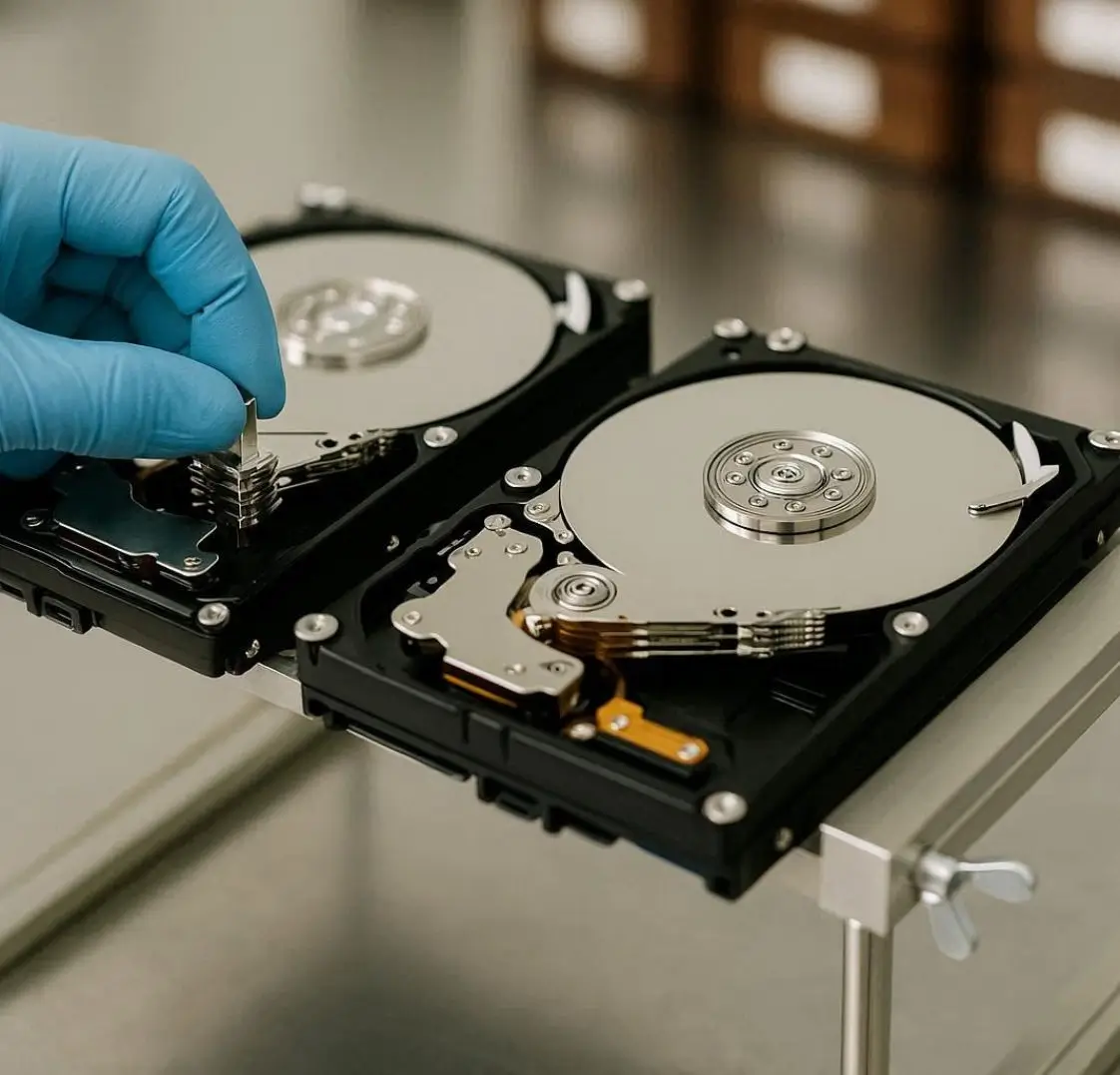
When a hard disk fails due to physical damage, unusual clicking sounds, or internal component failure, standard data recovery software will not work. In such cases, professional data recovery experts use something called a donor hard drive to retrieve lost data.When a hard disk fails due to physical damage, unusual clicking sounds, or internal component failure, standard data recovery software will not work. In such cases, professional data recovery experts use something called a donor hard drive to retrieve lost data.

What Is a Donor Hard Drive?

donor hard drive is a fully working hard disk that is used to replace damaged internal components of a failed hard drive. It acts as a “parts provider” during advanced data recovery procedures.

In cases of severe physical damage, technicians may need to replace:

  • Read/Write heads
  • Actuator arm
  • Spindle motor
  • PCB (Printed Circuit Board)
  • Firmware components

The donor drive must be exactly compatible with the damaged drive to ensure successful recovery.

Why Is a Donor Hard Drive Needed?

When a hard disk suffers mechanical failure, the internal parts can no longer read the data stored on the platters. Even though the data still exists, it cannot be accessed because the reading mechanism is damaged.

This is where a donor hard drive becomes essential.

1. Head Crash Recovery
If your hard drive makes a clicking sound, it may indicate a head crash. The read/write heads may be damaged and unable to access data. Technicians replace the faulty heads using parts from a donor drive.

2. PCB Failure
Sometimes a power surge can damage the circuit board (PCB). In this case, a matching donor PCB can be used, along with firmware transfer, to revive the drive.

 3. Motor or Spindle Failure
If the disk platters are not spinning, the motor may have failed. A compatible donor drive helps recover usable internal components.

How Do Technicians Choose a Donor Hard Drive?

Selecting a donor drive is not random. It requires careful matching of:

  • Same brand (Seagate, WD, Toshiba, etc.)
  • Same model number
  • Same firmware version
  • Same production batch (in some cases)

Even small differences can cause recovery failure. That’s why professional data recovery labs in Kochi maintain an inventory of donor drives for various brands and models.

When Do You Need a Donor Hard Drive?

You may need donor-based recovery if your hard drive shows:

  • Clicking or ticking noise
  • Beeping sound
  • Not spinning
  • Not detected in BIOS
  • Burning smell
  • Physical drop damage

If you notice any of these signs, stop using the drive immediately to prevent further platter damage.

Why You Should Not Attempt Donor Replacement Yourself

Many people search online for DIY solutions, but replacing internal hard drive components without proper tools can permanently destroy your data.

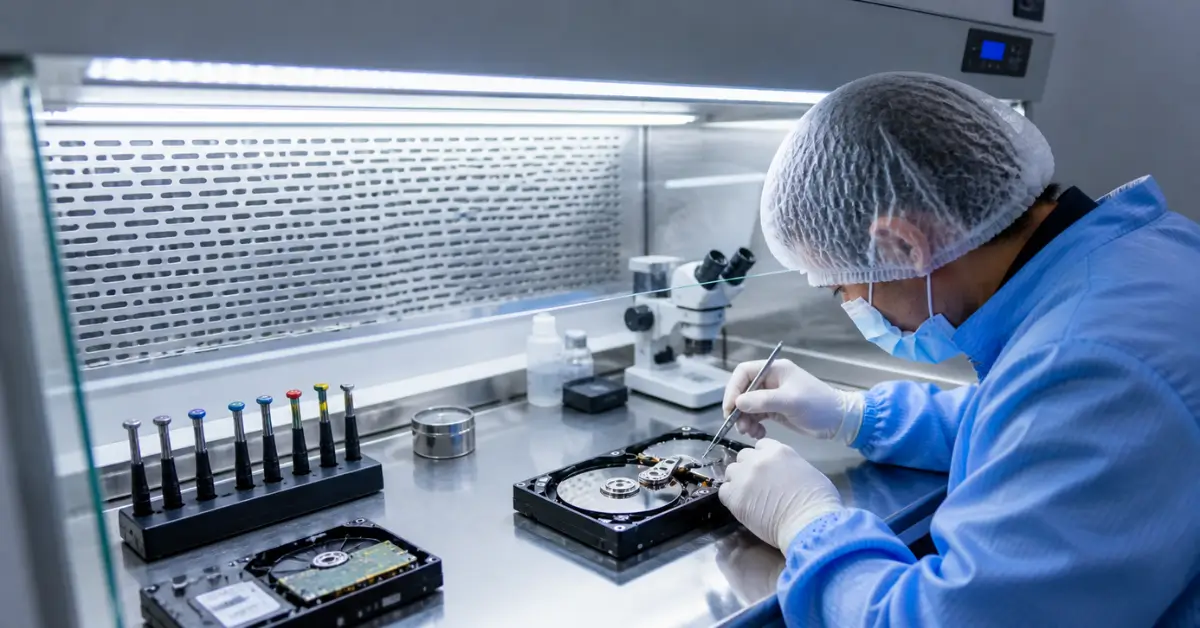
Professional data recovery labs use:

  • Anti-static workstations
  • Clean room environment (dust-free area)
  • Specialized head replacement tools
  • Firmware extraction tools

Opening a hard disk at home exposes the platter to dust particles, which can cause irreversible scratches.

Donor Hard Drive and Clean Room Environment

Physical recovery using a donor drive must be done inside a clean room. Even microscopic dust particles can damage the sensitive platters.

A professional data recovery service in Kochi uses controlled environments to safely replace damaged components and clone the drive before extracting data.

What Happens After Donor Replacement?

After replacing the damaged component:

  1. The drive is temporarily restored.
  2. A full sector-by-sector clone is created.
  3. Data is extracted from the cloned image.
  4. Recovered files are verified.

The repaired drive is not meant for long-term use. It is only stabilized long enough to retrieve your important data.
Wired is a leading publication covering technology, science, business, and digital culture. It delivers in-depth articles, expert analysis, and trend insights on innovation, cybersecurity, AI, and gadgets, helping readers understand how technology is shaping the future and modern society.

How Donor Drives Are Used in Professional Hard Disk Recovery | PCPrompt Kochi

  • When a hard drive suffers a serious mechanical failure, a head crash, a burnt PCB, or a seized spindle motor, standard data recovery software cannot help. The physical components inside the drive are damaged, and no software tool in the world can read data from a drive whose read/write heads are scratching the platters or whose circuit board is dead. This is when professional data recovery engineers turn to a donor hard drive: a compatible working drive used to supply replacement parts for the failed drive. Understanding what a donor drive is, why it’s necessary, and how it’s matched helps you understand why professional physical HDD recovery in Kerala is both complex and worth every rupee. Explore our full HDD data recovery service for context.
  • donor hard drive is a fully functional hard disk that shares critical engineering specifications with the damaged drive. It is used purely as a parts source, not for storing data. Depending on the type of failure, engineers may extract the head stack assembly (HSA), the printed circuit board (PCB), or firmware ROM from the donor and transplant them into the patient drive. The goal is simple: temporarily restore the damaged drive to a functioning state long enough to perform a complete sector-by-sector clone of the original platters. Once the clone is complete, data is extracted from the cloned image, the repaired drive is never used for long-term storage. See our full donor drive matching guide for brand-specific compatibility criteria.
  • Read/write head replacement is the most common donor-based recovery procedure PCPrompt performs. The read/write heads are the tiny components that fly nanometers above the spinning magnetic platters to read and write data. When they crash into the platters, due to physical shock, a power surge, or gradual wear, the result is a clicking or grinding sound, and the drive becomes completely inaccessible. Head replacement must be performed in a cleanroom environment, a dust-controlled workspace where particle counts are kept far below normal room air levels. Even a single dust particle landing on a spinning platter can cause irreversible scratching. PCPrompt’s Kochi lab uses professional cleanroom procedures for all head replacement cases.
  • PCB (printed circuit board) replacement is another common donor procedure. The PCB is the electronic control board on the underside of a hard drive that manages power distribution, motor control, and data communication. PCB failures are typically caused by power surges or lightning strikes and leave the drive completely unresponsive. Replacing a PCB is more complex than it appears, each drive’s PCB contains a ROM chip storing drive-specific adaptive data (calibration values, defect lists, timing parameters). If you swap a PCB without transferring this ROM data to the replacement board, the drive will still not work. PCPrompt’s engineers always perform ROM chip transfer during PCB replacements, a step that many non-specialist technicians miss, causing unnecessary recovery failures. According to Backblaze’s hard drive failure research, PCB-related failures account for a significant proportion of sudden drive deaths following power events.
  • Finding a compatible donor drive is one of the most technically demanding parts of physical HDD recovery. Compatibility is not simply about matching the model number, it involves matching firmware version, production batch codes, head configuration (heads map), preamplifier revision, country of manufacture, and in some cases, the date of manufacture within a window of three months. For Seagate drives, the second and third characters of the serial number indicate the head stack configuration. For Western Digital drives, the DCM (Drive Configuration Matrix) code determines whether two drives share the same internal architecture. For Hitachi drives, every listed parameter must match exactly. PCPrompt maintains a lab inventory of donor drives across all major brands to avoid delays in sourcing.
  • The donor recovery process at PCPrompt follows a structured workflow that prioritizes data safety above all else. Step one: the patient drive arrives and is assessed, failure type is confirmed, and the correct donor specification is identified. Step two: a compatible donor drive is sourced from our lab inventory or procured from a trusted supplier. Step three: components are transplanted in a controlled environment using anti-static workstations and precision tools. Step four: the repaired drive is connected and tested, if it spins and responds, a sector-by-sector forensic image is created immediately. Step five: the image is processed, recoverable files are extracted, and the client verifies the data before payment is requested. Read our case study on hard drive recovery to see this process in action.
  • Spindle motor and platter damage represent the most severe physical failure scenarios. When the motor fails, the platters don’t spin, the drive is completely silent when powered. Replacing a spindle motor is extremely rare and technically demanding, as it involves transferring the original platters to a donor drive chassis. Platter damage, where the magnetic surface has been physically scratched, represents the most challenging recovery scenario, as data in scratched zones may be permanently lost. However, even in these cases, PCPrompt’s engineers can often recover data from undamaged platter zones, delivering a partial recovery under the No Data, No Fee policy. Contact our team via our contact page if you suspect your drive has suffered this type of damage.
  • What you should never do with a physically failing drive is just as important as knowing what professionals do. Never open a hard drive at home, even a single fingerprint on a platter can cause irreversible damage. Never attempt to swap a PCB without professional ROM transfer tools. Never freeze a hard drive, this is a myth from the 1990s that causes condensation damage in modern drives. Never run CHKDSK or format a clicking drive, these actions can overwrite recoverable data. If your drive is making unusual sounds, power it down immediately and contact PCPrompt. See our hard drive not detecting article for guidance on what symptoms mean what.
  • If you have been told by another service that your drive requires a donor and they cannot proceed, bring it to PCPrompt. Our lab in Kochi maintains one of the broadest donor inventories in Kerala, covering Seagate, Western Digital, Hitachi, Toshiba, and Samsung drives across a wide range of models and production batches. Call +91 9995438806 or visit our contact page to arrange a free assessment. Also review our data recovery charges guide to understand the typical cost of donor-based physical recovery before you come in.
your ideal recovery service
Related Articles & Guides