Hard Drive Data Recovery – Files Restored from Failed Desktop HDD

Hard Drive Data Recovery
overview

Accounting firm’s desktop hard drive failed, making financial records and client files inaccessible, requiring urgent recovery.

client

Accounting Firm

location

Kottayam, Kerala, India

category

requirements & challenges

Hard Drive Data Recovery - the client reported unusual clicking noises from the hard drive before the system stopped booting. After multiple restart attempts, the computer failed to detect the drive completely. All accounting software data, invoices, and client records were at risk.

  • Physically failing hard disk with clicking sound
  • Drive not detected in BIOS
  • Critical financial data stored on the disk
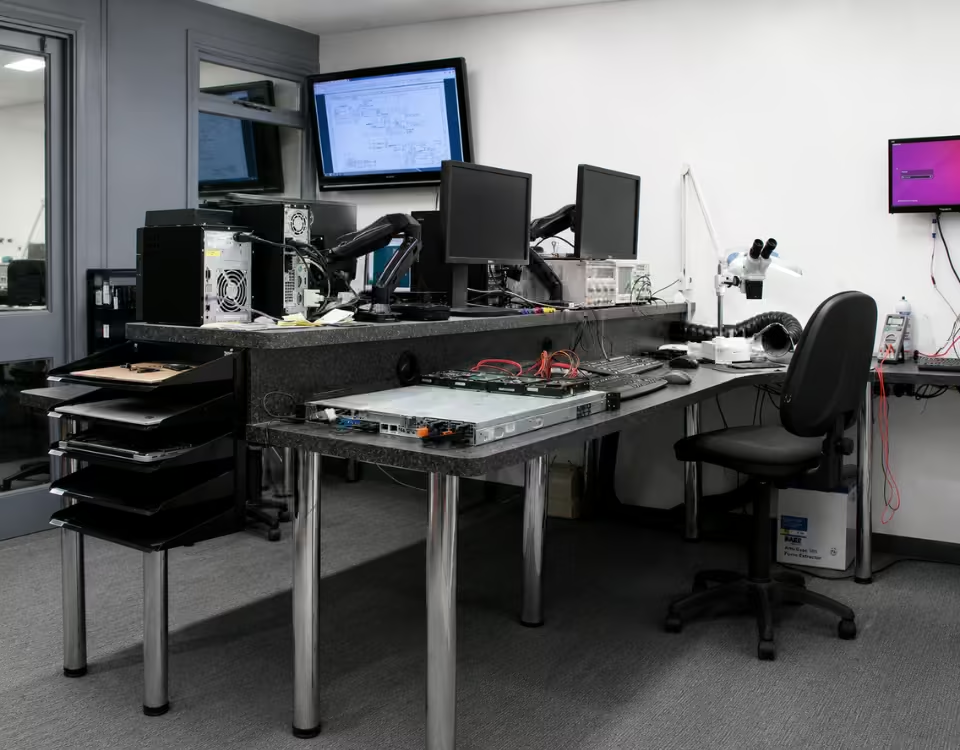
pcprompt kochi office
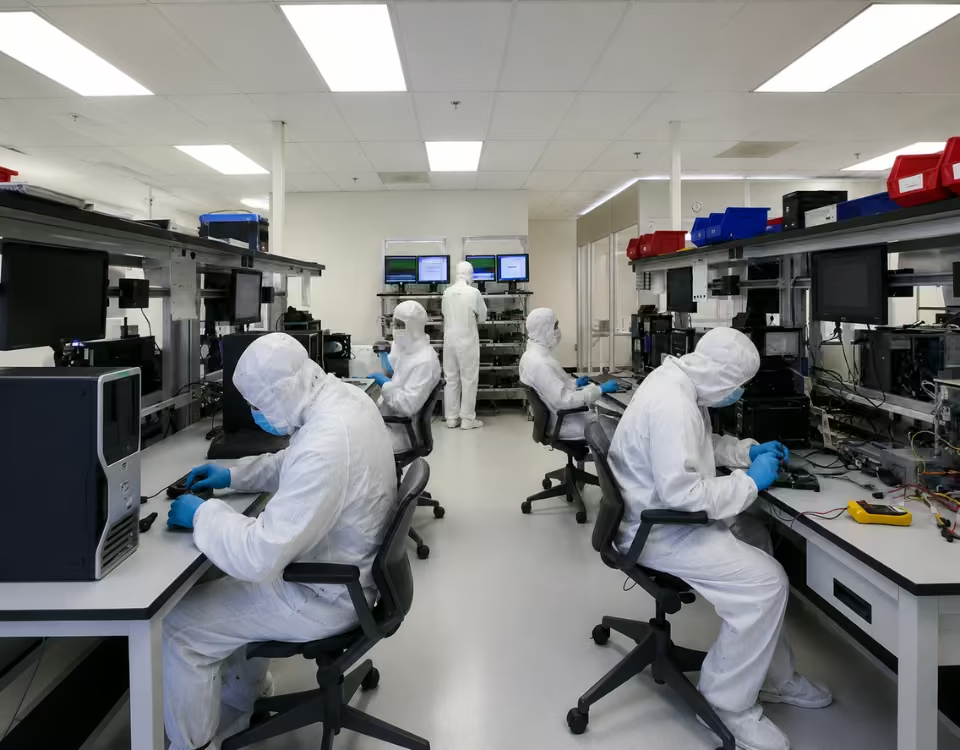
pcprompt cleam room

solutions we provided

Our data recovery engineers conducted a full diagnostic of the failed hard drive. The issue was identified as a head failure inside the drive. The disk was carefully opened in a controlled clean environment, and the damaged components were replaced using compatible donor parts.

After stabilizing the drive, a sector-by-sector clone was created to secure the data. Logical repairs were performed on the file system, and all essential files were extracted.

The recovered data included accounting software databases, invoices, and client documents. All files were transferred to a new storage device and verified before delivery. The client successfully resumed operations without further data loss.

know more about recovery

read service FAQ’s

Can data be recovered from a dead hard disk?2026-06-18T23:26:33+05:30
  • Yes, data can often be recovered from a dead hard disk, depending on the cause of the failure and the condition of the drive. A hard disk may appear completely dead when it is no longer detected by the computer, fails to spin, makes unusual noises, or prevents the system from booting. While this situation can be stressful, a dead hard drive does not always mean the stored data is permanently lost. In many cases, professional hard disk data recovery services can successfully retrieve valuable files from failed drives.
  • A hard disk can fail for several reasons. Common causes include mechanical damage, electronic failure, firmware corruption, power surges, water damage, overheating, bad sectors, and accidental physical impact. The type of failure plays a major role in determining the likelihood of successful recovery.
  • One of the most common causes of a dead hard drive is electronic failure. A damaged printed circuit board (PCB), power surge, or faulty power supply can prevent the drive from functioning. In many cases, the data stored on the platters remains intact even though the drive appears dead. Recovery specialists can often repair or bypass the damaged electronics to access the data.
  • Mechanical failures are another common issue. Hard drives contain moving components such as spindle motors and read/write heads. If these parts fail, the drive may stop spinning or produce clicking, grinding, or beeping sounds. Although mechanical failures are serious, professional recovery laboratories can often recover data by repairing the drive in a controlled environment and creating a safe image of the storage media.
  • Firmware corruption can also make a hard drive appear dead. Firmware controls the internal operation of the drive and allows communication with the computer. If the firmware becomes corrupted, the drive may not be recognized by the operating system or BIOS. Specialized recovery tools can often repair firmware-related issues and restore access to the stored data.
  • The chances of successful recovery are highest when the drive is not repeatedly powered on after failure. Many users continue trying to start a dead hard drive, which can worsen mechanical damage and reduce recovery success rates. If the drive contains important data, it is best to stop using it immediately.
  • Professional dead hard disk recovery involves a detailed diagnosis, sector-by-sector imaging, and advanced recovery techniques designed to protect the original data. Recovery specialists work on copies whenever possible to minimize the risk of further damage.
  • At PCPrompt Data Recovery, we provide expert hard disk data recovery services for desktop hard drives, laptop HDDs, external hard drives, NAS devices, RAID systems, and enterprise storage solutions. We recover data from dead, clicking, non-detecting, physically damaged, and electronically failed hard drives using advanced recovery technology.
  • Although not every failed hard drive can be recovered, many dead hard disks still contain recoverable data. Seeking professional assistance as soon as possible greatly improves the chances of successful recovery and helps protect valuable personal and business information.
What causes hard disk failure?2026-06-19T15:01:35+05:30
  • Hard disk drives (HDDs) are widely used for storing documents, photos, videos, business records, and operating system files. Although hard drives are designed to operate reliably for many years, they can still fail unexpectedly. Understanding the common causes of hard disk failure can help users protect their data and recognize warning signs before a complete breakdown occurs.
  • One of the most common causes of hard disk failure is mechanical wear and tear. Unlike SSDs, traditional hard drives contain moving parts, including spinning platters, read/write heads, and spindle motors. Over time, these components can wear out due to continuous use. As a hard drive ages, the risk of mechanical failure increases, especially after several years of operation.
  • Another major cause is physical shock or impact damage. Dropping a laptop, bumping an external hard drive, or moving a system while the drive is operating can damage the internal components. The read/write heads may come into contact with the platter surface, causing a head crash that can lead to severe data loss and drive failure.
  • Overheating is also a common reason for hard disk failure. Hard drives generate heat during normal operation, and poor ventilation or excessive temperatures can shorten their lifespan. Prolonged exposure to high temperatures may damage electronic components and reduce the reliability of the drive.
  • Power-related issues frequently contribute to hard drive failures. Sudden power outages, voltage fluctuations, faulty power supplies, and electrical surges can damage the drive’s electronic circuitry. In some cases, the hard drive may stop spinning or become completely undetectable after an electrical event.
  • Bad sectors are another common problem. A bad sector is an area of the disk that can no longer reliably store or retrieve data. While a few bad sectors may not immediately cause a failure, a growing number of damaged sectors often indicates that the drive is deteriorating and may soon fail completely.
  • Firmware corruption can also lead to hard disk problems. Firmware is the internal software that controls drive operations. If it becomes corrupted due to software errors, power interruptions, or manufacturing defects, the hard drive may become inaccessible even though the physical components are still functional.
  • Environmental factors such as dust, humidity, water exposure, and static electricity can also affect hard drive reliability. These conditions can damage internal electronics and reduce the drive’s lifespan.
  • Signs of impending hard disk failure often include unusual clicking noises, slow performance, frequent system crashes, corrupted files, disappearing folders, and errors when accessing data. Ignoring these warning signs can result in complete drive failure and permanent data loss.
  • At PCPrompt Data Recovery, we provide professional hard disk data recovery services for failed, damaged, corrupted, and non-detecting hard drives. Our experts recover data from mechanical failures, bad sectors, firmware issues, power damage, and accidental data loss situations.
  • If you notice signs of hard disk failure, stop using the drive immediately and back up any accessible data. Early professional intervention significantly improves the chances of successful hard drive data recovery and helps protect valuable personal and business information.
  • Large-scale hard drive studies show that HDD failure rates vary by model, age, workload, and environment. You can read more about hard drive failure statistics from Backblaze.
How much does hard disk data recovery cost2026-06-18T23:21:59+05:30
  • The cost of hard disk data recovery can vary depending on the type of failure, the condition of the drive, the complexity of the recovery process, and the amount of data that needs to be recovered. Because every data loss situation is different, professional recovery companies typically perform an initial diagnosis before providing an accurate quote.
  • One of the biggest factors affecting hard disk recovery cost is whether the problem is logical or physical. Logical issues such as accidental deletion, formatting, partition loss, file system corruption, or software-related errors are generally less complex to recover. Since the hard drive hardware is still functioning, recovery can often be completed using specialized software and recovery tools, resulting in a lower recovery cost.
  • Physical hard drive failures usually require more advanced recovery procedures and therefore tend to be more expensive. Common physical issues include clicking hard drives, head crashes, motor failures, firmware corruption, PCB damage, bad sectors, water damage, and electrical failures. Recovering data from physically damaged drives often involves specialized equipment, cleanroom procedures, donor components, and extensive diagnostic work.
  • The storage capacity of the hard drive can also influence the recovery price. Larger drives containing multiple terabytes of data may require more time for imaging, scanning, and data extraction. Similarly, drives with severe bad sector issues or extensive corruption may require additional recovery effort, increasing the overall cost.
  • Another factor is the urgency of the recovery. Some businesses require immediate access to critical files, databases, financial records, or operational data. Emergency and priority recovery services are often available, but expedited processing may increase the total recovery cost compared to standard service options.
  • The type of storage device also plays a role. Recovering data from a standard desktop hard drive is generally less complex than recovering data from RAID arrays, NAS devices, servers, enterprise storage systems, or encrypted drives. These advanced systems often require specialized expertise and additional recovery procedures.
  • When considering the cost of data recovery, it is important to focus on the value of the lost data rather than the cost of the storage device itself. Business records, customer databases, legal documents, project files, family photos, and important personal data are often far more valuable than the hard drive that stores them.
  • At PCPrompt Data Recovery, we provide professional hard disk data recovery services for desktop computers, laptops, external hard drives, RAID systems, NAS devices, and enterprise storage solutions. Every recovery case begins with a detailed assessment to determine the failure type and the most effective recovery approach. We provide transparent evaluations and work to recover the maximum amount of data possible.
  • If your hard drive has failed, avoid DIY repair attempts or repeated power-on cycles, as these can increase damage and recovery costs. Seeking professional assistance early often improves recovery success rates and helps minimize both downtime and the overall recovery effort.
Is hard disk recovery possible after formatting?2026-06-18T23:13:55+05:30
  • Yes, hard disk recovery after formatting is often possible, especially if the drive has not been heavily used after the formatting process. Many people believe that formatting a hard disk permanently erases all data, but in most cases, the files remain on the drive until they are overwritten by new data. This means that professional hard disk data recovery services can frequently recover lost files from formatted hard drives.
  • When a hard disk is formatted, the operating system typically removes the file system information that tells the computer where files are stored. The actual data often remains on the disk, even though it is no longer visible or accessible through normal methods. Recovery specialists use advanced tools to scan the drive, locate the remaining data, and reconstruct the original file structure whenever possible.
  • The success of formatted hard drive recovery depends on several factors. One of the most important is whether new data has been written to the drive after formatting. Every time new files are saved, some of the original data may be overwritten, reducing the chances of a complete recovery. For this reason, it is important to stop using the hard disk immediately after accidental formatting.
  • The type of formatting performed also affects recovery outcomes. A quick format generally removes only the file system records while leaving the actual data intact. In these situations, recovery success rates are often very high. A full format, however, may overwrite portions of the disk and make recovery more challenging. Even so, depending on the operating system and drive condition, some data may still be recoverable.
  • Hard disk recovery may also be required after accidental formatting during operating system installation, partition management errors, software crashes, virus attacks, or storage device corruption. In many cases, valuable files such as documents, photos, videos, emails, databases, and business records can still be recovered if professional assistance is sought quickly.
  • Traditional hard drives (HDDs) generally offer better recovery possibilities after formatting compared to SSDs because HDDs do not typically use TRIM technology. Since the data often remains physically present on the magnetic platters, recovery specialists have a greater opportunity to retrieve lost information.
  • At PCPrompt Data Recovery, we provide professional hard disk recovery services for accidentally formatted internal and external hard drives. Our experts use advanced recovery software, forensic imaging techniques, and specialized hardware tools to recover data from formatted, deleted, corrupted, and damaged hard disks. We support desktop hard drives, laptop drives, external HDDs, NAS devices, and enterprise storage systems.
  • If you accidentally format a hard disk, avoid installing new software, copying files, or attempting repeated recovery attempts on the same drive. The sooner professional recovery is performed, the higher the chances of successful data retrieval. In many cases, hard disk recovery after formatting is possible, and valuable data can be restored safely and efficiently by experienced recovery specialists.
How long does hard disk recovery take?2026-06-18T23:16:31+05:30
  • The time required for hard disk recovery depends on several factors, including the type of failure, the size of the hard drive, the amount of data involved, and the overall condition of the storage device. Some recoveries can be completed within a few hours, while more complex cases may take several days or even longer. Every hard drive failure is unique, which is why a professional evaluation is usually needed to provide an accurate recovery timeline.
  • For logical data loss situations such as accidental deletion, formatting, partition loss, or file system corruption, recovery is generally faster. If the hard disk is physically healthy and still detected by the computer, technicians can often recover the lost files within 24 to 48 hours. The process involves scanning the drive, locating recoverable data, and transferring the files to a secure storage device.
  • Physical hard drive failures usually require more time. Problems such as clicking noises, bad sectors, firmware corruption, head failure, motor issues, or electronic damage often need specialized diagnostic procedures before recovery can begin. In some cases, damaged components must be repaired or replaced in a controlled environment before the data can be accessed safely.
  • The storage capacity of the hard disk is another important factor. Modern hard drives commonly store hundreds of gigabytes or several terabytes of data. Larger drives require more time for imaging, scanning, and file extraction. A 10TB hard drive, for example, will typically take longer to process than a 500GB drive because there is significantly more data to analyze and recover.
  • Bad sectors can also increase recovery time. When a hard drive contains damaged sectors, technicians often create a sector-by-sector image of the drive before attempting recovery. This helps preserve the data and prevents additional damage but may extend the overall recovery process. Severely degraded drives may require multiple imaging passes to capture as much data as possible.
  • The complexity of the file system and the amount of recoverable data can further influence recovery duration. Drives containing large databases, business records, videos, photos, or millions of small files may require additional time for reconstruction and verification.
  • At PCPrompt Data Recovery, every hard disk data recovery service begins with a detailed diagnosis to determine the cause of failure and estimate the recovery timeframe. We recover data from desktop hard drives, laptop drives, external hard disks, NAS devices, RAID systems, and enterprise storage environments. For urgent business requirements, emergency recovery services may also be available.
  • In general, hard disk recovery can take anywhere from a few hours to several days, depending on the complexity of the case. Seeking professional assistance immediately after data loss improves recovery success rates and often reduces the overall recovery time. The sooner the drive is examined, the better the chances of safely recovering valuable files and minimizing permanent data loss.
Can data be recovered from a clicking hard drive?2026-06-18T23:19:51+05:30
  • Yes, data can often be recovered from a clicking hard drive, but the recovery process should be handled by experienced professionals. A clicking noise from a hard drive is usually a sign of a serious hardware problem, often referred to as the “click of death.” While this sound can be alarming, it does not always mean the data is permanently lost. In many cases, professional hard drive data recovery services can successfully retrieve important files from a clicking drive.
  • A hard drive clicks when its read/write heads are unable to properly access data stored on the platters. The drive repeatedly attempts to locate the required information, causing the characteristic clicking sound. This issue can occur due to several reasons, including head failure, damaged platters, firmware corruption, bad sectors, electronic faults, or physical shock caused by dropping the drive.
  • One of the most common causes of a clicking hard drive is read/write head damage. The heads float just above the platter surface and are responsible for reading and writing data. If they become damaged or misaligned, the drive may no longer access data correctly, resulting in repeated clicking noises. In such cases, specialized repair procedures may be required before recovery can begin.
  • Firmware problems can also cause clicking behavior. Modern hard drives rely on firmware to manage internal operations and access stored data. If firmware becomes corrupted, the drive may fail to initialize properly and produce clicking sounds even when the physical components are still functional.
  • When a hard drive starts clicking, it is extremely important to stop using it immediately. Continuing to power on the drive can worsen the damage, especially if the read/write heads are making contact with the platter surface. Additional use may cause permanent data loss and reduce the chances of a successful recovery.
  • Professional clicking hard drive recovery typically begins with a detailed diagnosis. Recovery specialists evaluate the condition of the drive, identify the source of the clicking noise, and create a sector-by-sector image whenever possible. Working from an image protects the original drive and helps maximize data recovery success. In some cases, cleanroom procedures may be necessary to repair or replace damaged internal components.
  • The success rate of recovery depends on the severity of the damage and how quickly professional assistance is sought. Drives that have not been repeatedly powered on after failure generally offer better recovery prospects. Valuable files such as documents, photos, videos, business records, emails, and databases can often be recovered even from severely damaged drives.
  • At PCPrompt Data Recovery, we provide professional clicking hard drive data recovery services for desktop HDDs, laptop hard drives, external drives, NAS systems, and enterprise storage devices. Our specialists use advanced recovery tools and techniques to recover data safely from mechanically and electronically failed drives.
  • If your hard drive is clicking, avoid DIY repairs and do not run recovery software. Immediate professional evaluation offers the best chance of recovering your valuable data before further damage occurs.
Go to Top