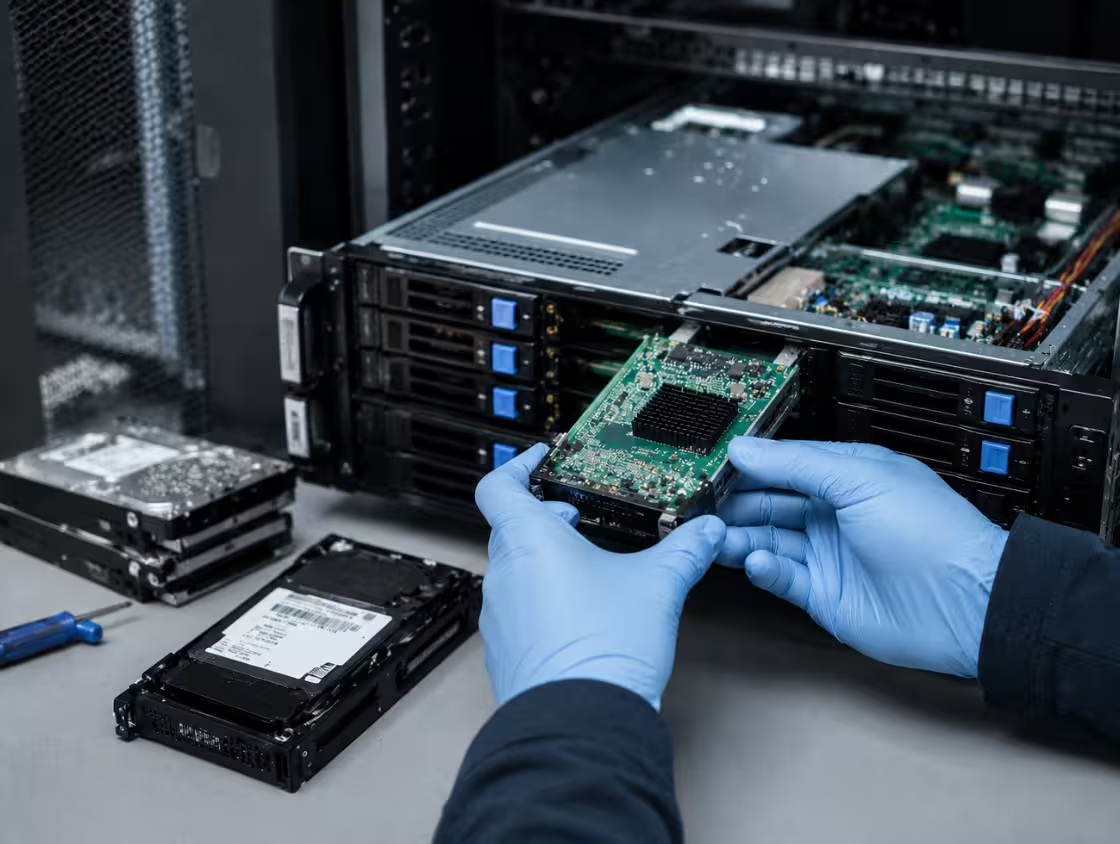

RAID 0, RAID 1, RAID 5 & RAID 10 Data Recovery Services
PCPrompt provides reliable RAID Server Recovery Kochi to restore data from failed RAID arrays, including RAID 0, RAID 1, RAID 5, and RAID 10. Our experts handle disk crashes, controller failures, RAID rebuild errors, and corrupted configurations with advanced diagnostics and precision recovery techniques.
We securely rebuild damaged RAID structures and recover critical business data from servers, NAS systems, and enterprise storage environments. Our RAID server recovery solutions ensure maximum data protection, minimal downtime, and complete confidentiality for mission-critical systems.
Experts in Critical RAID Server Data Recovery
The main RAID problems, including disk failures, controller faults, and rebuild errors, and discover expert recovery methods to restore critical data safely.
RAID Disk Failure
When one or more drives in the array fail, the RAID becomes degraded or completely offline.
RAID Controller Failure
A controller crash or firmware corruption can stop the RAID from initializing or reading its configuration.
RAID Rebuild Failure
Rebuilds may fail due to bad sectors, incorrect disk order, or multiple failing drives.

FAQ’s
- Yes, RAID 5 data recovery after multiple disk failure is often possible, but the success rate depends on the extent of the damage, the condition of the drives, and the actions taken after the failure occurred. RAID 5 is one of the most widely used RAID configurations for servers, NAS devices, and business storage systems because it offers a balance between performance, storage efficiency, and fault tolerance. However, RAID 5 is designed to withstand only a single drive failure. When multiple disks fail simultaneously, the array can become inaccessible and critical data may appear lost.
- Multiple disk failures in a RAID 5 array can occur for several reasons. Aging hard drives, power surges, controller failures, overheating, firmware corruption, bad sectors, and improper RAID rebuild attempts are among the most common causes. In many cases, the second drive failure occurs while the array is rebuilding after the first failed disk, placing additional stress on the remaining drives.
- The good news is that even when multiple drives fail, professional RAID 5 data recovery services can often recover valuable information. Recovery specialists use advanced tools to analyze the RAID structure, identify the original configuration, and reconstruct the array in a controlled environment. This process may involve recovering data from damaged drives, repairing corrupted RAID metadata, and rebuilding the virtual RAID configuration without altering the original disks.
- One of the most important factors in successful RAID 5 recovery is avoiding further damage. When multiple disk failures occur, users should immediately shut down the system and avoid rebuilding the array without expert guidance. Attempting a rebuild with damaged drives can overwrite critical parity information and significantly reduce the chances of recovery. Similarly, replacing the wrong drive or reinitializing the RAID can make recovery more complex.
- The recovery process usually begins with a detailed diagnosis of all member drives. Technicians create sector-by-sector images of the disks whenever possible to preserve the original data. Specialized software and hardware tools are then used to reconstruct the RAID parameters, including disk order, stripe size, parity rotation, and file system structure. Once the virtual RAID is successfully rebuilt, the recoverable data can be extracted safely.
- At PCPrompt Data Recovery, we provide professional RAID 5 data recovery services for businesses, organizations, and individuals across Kerala. We recover data from failed RAID servers, NAS devices, SAN storage systems, and enterprise storage environments. Our experts handle cases involving multiple disk failures, failed RAID rebuilds, controller damage, accidental formatting, and corrupted RAID configurations.
While multiple disk failures in a RAID 5 array can be a serious issue, recovery is often possible with the right expertise and tools. Seeking professional assistance quickly gives the best chance of recovering critical business files and minimizing downtime.
- Yes, RAID 0 recovery is often possible after corruption, but the success of the recovery depends on the cause of the problem and the condition of the drives. RAID 0, also known as disk striping, is designed to improve performance by distributing data across two or more drives. However, unlike other RAID levels, RAID 0 does not provide redundancy or fault tolerance. If one drive fails or the array becomes corrupted, the entire storage volume can become inaccessible.
- RAID 0 corruption can occur for several reasons. Common causes include file system corruption, sudden power failures, controller issues, firmware problems, accidental formatting, virus attacks, operating system crashes, and improper RAID configuration changes. In many cases, the data still exists on the drives, but the RAID structure becomes damaged, preventing the system from accessing the files correctly.
- The good news is that professional RAID 0 data recovery specialists can often reconstruct the original RAID configuration and recover the stored information. Recovery experts analyze critical RAID parameters such as disk order, stripe size, partition layout, and file system structure. Once these details are identified, a virtual RAID can be recreated to access and recover the data safely.
- One of the most important steps after RAID 0 corruption is to avoid making changes to the array. Rebuilding, reinitializing, formatting, or attempting DIY repair methods can overwrite valuable metadata and reduce the chances of successful recovery. If the RAID 0 volume becomes inaccessible, it is best to stop using the system immediately and seek professional assistance.
- Recovery success is generally higher when the drives themselves are physically healthy. If the corruption is purely logical, such as damaged file systems or deleted RAID configuration information, data recovery can often be completed successfully. However, if one or more drives have physical damage, bad sectors, firmware issues, or mechanical failures, additional recovery procedures may be required before the RAID array can be reconstructed.
- The complexity of RAID 0 recovery increases with the number of drives involved. Larger arrays require more detailed analysis because data is distributed across multiple disks. Advanced recovery tools and specialized expertise are often necessary to rebuild the striped data structure accurately.
- At PCPrompt Data Recovery, we provide professional RAID 0 recovery services for businesses and individuals across Kerala. Our experts use advanced diagnostic and recovery techniques to reconstruct corrupted RAID arrays and recover important files, databases, photos, videos, and business documents. Whether the corruption was caused by a controller failure, accidental formatting, power interruption, or file system damage, we work to recover the maximum amount of data possible.
- Although RAID 0 corruption can be serious, successful recovery is often achievable when the correct recovery procedures are followed and professional assistance is obtained quickly.
- The time required for RAID server recovery depends on several factors, including the RAID level, number of drives, storage capacity, type of failure, and the condition of the disks involved. In some cases, RAID data recovery can be completed within a few hours, while more complex cases may take several days. Every RAID failure is unique, so an accurate recovery timeline is usually determined after a detailed diagnosis.
- For logical RAID issues such as deleted files, accidental formatting, corrupted partitions, or damaged file systems, recovery is often faster. If the RAID drives are physically healthy and the array structure can be reconstructed easily, data recovery may be completed within 24 to 48 hours. The process mainly involves analyzing the RAID configuration, rebuilding the virtual array, and extracting the required data.
- When physical drive failures are involved, the recovery process typically takes longer. A RAID server may contain multiple hard drives or SSDs, and each failed drive must be carefully examined. If a drive has bad sectors, firmware corruption, mechanical damage, or electronic failure, additional recovery procedures may be required before the RAID array can be reconstructed. This can extend the recovery time to several days.
- The size of the RAID storage system also plays an important role. Modern RAID servers often store several terabytes of business-critical data. Creating sector-by-sector images of large drives, analyzing RAID metadata, and rebuilding the array can be time-consuming. Larger RAID systems naturally require more processing and verification time than smaller storage configurations.
- RAID level is another factor that affects recovery duration. RAID 0, RAID 1, RAID 5, RAID 6, and RAID 10 each have different data structures and recovery requirements. Complex RAID configurations with multiple failed drives or missing RAID parameters generally require more extensive analysis and testing before recovery can begin.
- Failed RAID rebuild attempts can also increase recovery time. Many businesses try to rebuild the array themselves before seeking professional assistance. Incorrect rebuilds, controller replacements, or RAID reinitialization can damage critical metadata and make recovery more complicated. In such cases, specialists may need additional time to reconstruct the original RAID configuration.
- At PCPrompt Data Recovery, we begin with a thorough evaluation of the RAID server to determine the cause of failure and estimate the recovery timeline. Emergency RAID recovery services are also available for businesses that require urgent access to critical data. Our goal is to recover data as quickly as possible while ensuring the highest chance of success.
- In most cases, RAID server recovery can take anywhere from one day to several days, depending on the complexity of the failure. Early professional intervention significantly improves recovery speed and helps prevent further data loss. For the best results, stop using the RAID server immediately after a failure and consult experienced RAID recovery specialists.
RAID systems use different configurations such as striping, mirroring, and parity. You can refer to IBM’s RAID levels documentation for a basic explanation of RAID configurations.
- RAID server rebuild failure is a serious issue that can put critical business data at risk. A RAID array is designed to provide redundancy and protect data when a drive fails. However, during the rebuild process, several factors can cause the rebuild to fail, leading to data loss or making the RAID system inaccessible. Understanding the common causes of RAID server rebuild failure can help businesses take preventive measures and seek professional RAID data recovery services when needed.
- One of the most common causes of RAID rebuild failure is the presence of additional failing drives. When a RAID array enters a degraded state due to one failed disk, the remaining drives must work harder during the rebuild process. If another drive has bad sectors, mechanical issues, or hidden damage, it may fail under the increased workload, causing the RAID rebuild to stop unexpectedly.
- Bad sectors on member disks are another major reason for RAID rebuild failure. During rebuilding, the RAID controller must read every sector from the healthy drives. If unreadable sectors are encountered, the rebuild process may fail because the controller cannot reconstruct the missing data accurately.
- A faulty RAID controller can also lead to rebuild problems. Hardware RAID controllers manage the RAID configuration and data distribution. If the controller develops faults, firmware corruption, or communication issues, the rebuild process may not complete successfully. In some cases, replacing the controller incorrectly can make the situation even worse.
- Incorrect RAID configuration is another frequent cause. Rebuilding an array with the wrong RAID parameters, disk order, stripe size, or RAID level can result in rebuild failure and data corruption. This often happens when administrators attempt recovery without fully understanding the original RAID setup.
Power interruptions during the rebuild process can also damage the RAID array. Since rebuilding can take several hours or even days depending on storage capacity, unexpected shutdowns may leave the array in an inconsistent state and cause the rebuild to fail.
Firmware incompatibility and outdated software can contribute to RAID rebuild issues as well. After hardware replacements or updates, mismatched firmware versions between drives and controllers may create communication problems that prevent a successful rebuild.
Human error remains one of the leading causes of RAID server rebuild failure. Accidentally initializing the RAID, replacing the wrong drive, formatting the array, or changing RAID settings can quickly turn a recoverable situation into a major data loss event.
If a RAID rebuild fails, stop all recovery attempts immediately and consult professional RAID data recovery specialists. Expert technicians can analyze the RAID structure, repair damaged configurations, recover critical business files, and safely restore data from failed RAID 0, RAID 1, RAID 5, RAID 6, RAID 10, and enterprise server systems.
- Yes, we provide professional NAS and SAN data recovery services for businesses, organizations, and individual users across Kerala. Network Attached Storage (NAS) and Storage Area Network (SAN) systems are widely used for centralized data storage, file sharing, virtualization, backups, and enterprise applications. When these systems experience failures, valuable business data can become inaccessible. Our experienced data recovery specialists use advanced techniques to recover data from failed NAS and SAN storage devices.
- NAS devices are commonly used in homes, offices, and small businesses. Popular brands include Synology, QNAP, Western Digital, Buffalo, and Netgear. These systems often use RAID configurations to protect data. However, multiple drive failures, RAID corruption, accidental deletion, firmware issues, power surges, or improper rebuild attempts can cause data loss. Our NAS data recovery services are designed to recover files, databases, photos, videos, business documents, and backup data from damaged or inaccessible NAS systems.
- SAN storage systems are typically used in enterprise environments, data centers, and large organizations. SAN infrastructure can be complex and may include multiple RAID arrays, storage controllers, switches, and virtualization platforms. Failures in SAN environments can occur due to controller malfunctions, RAID corruption, firmware problems, disk failures, accidental formatting, logical corruption, or hardware damage. Our SAN data recovery experts have experience handling enterprise-level storage systems and recovering critical business data from complex storage architectures.
- One of the most common causes of NAS and SAN data loss is RAID failure. Many storage systems rely on RAID 5, RAID 6, RAID 10, or proprietary RAID configurations. If multiple drives fail or an incorrect rebuild is performed, the entire storage volume may become inaccessible. In such situations, it is important to stop using the system immediately to avoid further damage and increase the chances of successful recovery.
- At PCPrompt Data Recovery, we follow a systematic recovery process. We first diagnose the storage system, identify the cause of failure, create safe disk images when necessary, reconstruct the RAID configuration, and recover the lost data. Our goal is to recover the maximum amount of data while maintaining strict confidentiality and security standards.
- Whether your NAS or SAN system has suffered from drive failure, RAID corruption, accidental deletion, firmware issues, or controller failure, our NAS and SAN data recovery services in Kerala can help restore your valuable information quickly and securely. We support a wide range of storage platforms and work to provide reliable recovery solutions for both personal and business environments.
- Yes, damaged RAID arrays can often be rebuilt safely, but the process must be handled carefully to avoid permanent data loss. RAID systems are designed to provide redundancy and improve data availability, but when one or more drives fail, the array can become degraded or completely inaccessible. Attempting an incorrect RAID rebuild can overwrite critical information and significantly reduce the chances of successful data recovery. That is why professional evaluation is recommended before starting any rebuild process.
- A RAID rebuild is the process of reconstructing missing data onto a replacement drive after a disk failure. In healthy situations, this process works automatically. However, when a RAID array is damaged due to multiple drive failures, bad sectors, controller issues, firmware corruption, or configuration errors, rebuilding the array becomes much more complex. Simply replacing drives and initiating a rebuild without proper diagnosis can cause further damage to the data structure.
- One of the biggest risks during a RAID rebuild is the presence of additional failing drives. In RAID 5, RAID 6, and RAID 10 environments, the remaining drives are heavily stressed during reconstruction. If another drive contains bad sectors or hidden defects, it may fail during the rebuild process, causing the array to become unrecoverable. This is a common reason why many DIY RAID rebuild attempts fail.
- Another important factor is RAID configuration accuracy. Parameters such as RAID level, disk order, stripe size, parity rotation, and controller settings must be correctly identified before rebuilding. Using incorrect settings can result in data corruption and make recovery much more difficult. Professional RAID recovery specialists use advanced tools to analyze the array and verify its configuration before attempting any reconstruction.
- Damaged RAID arrays can also suffer from controller failures, firmware issues, accidental initialization, or failed RAID migrations. In these situations, rebuilding the array without first creating safe disk images may overwrite critical metadata. For this reason, data recovery professionals typically clone the drives and perform recovery operations on copies rather than the original disks.
- The safest approach when a RAID failure occurs is to stop using the system immediately. Do not initialize the array, replace multiple drives at once, or force a rebuild without understanding the cause of the failure. Every action taken after a RAID failure can affect the success of the recovery process.
- At PCPrompt Data Recovery, we specialize in safe RAID recovery and RAID rebuild services for RAID 0, RAID 1, RAID 5, RAID 6, RAID 10, NAS, SAN, and enterprise server storage systems. Our experts carefully analyze the damaged array, reconstruct the RAID configuration, and recover critical business data while minimizing risks. With the right tools and expertise, many damaged RAID arrays can be rebuilt safely and valuable data can often be successfully restored.