When a hard disk fails due to physical damage, unusual clicking sounds, or internal component failure, standard data recovery software will not work. In such cases, professional data recovery experts use something called a donor hard drive to retrieve lost data.When a hard disk fails due to physical damage, unusual clicking sounds, or internal component failure, standard data recovery software will not work. In such cases, professional data recovery experts use something called a donor hard drive to retrieve lost data.
What Is a Donor Hard Drive?
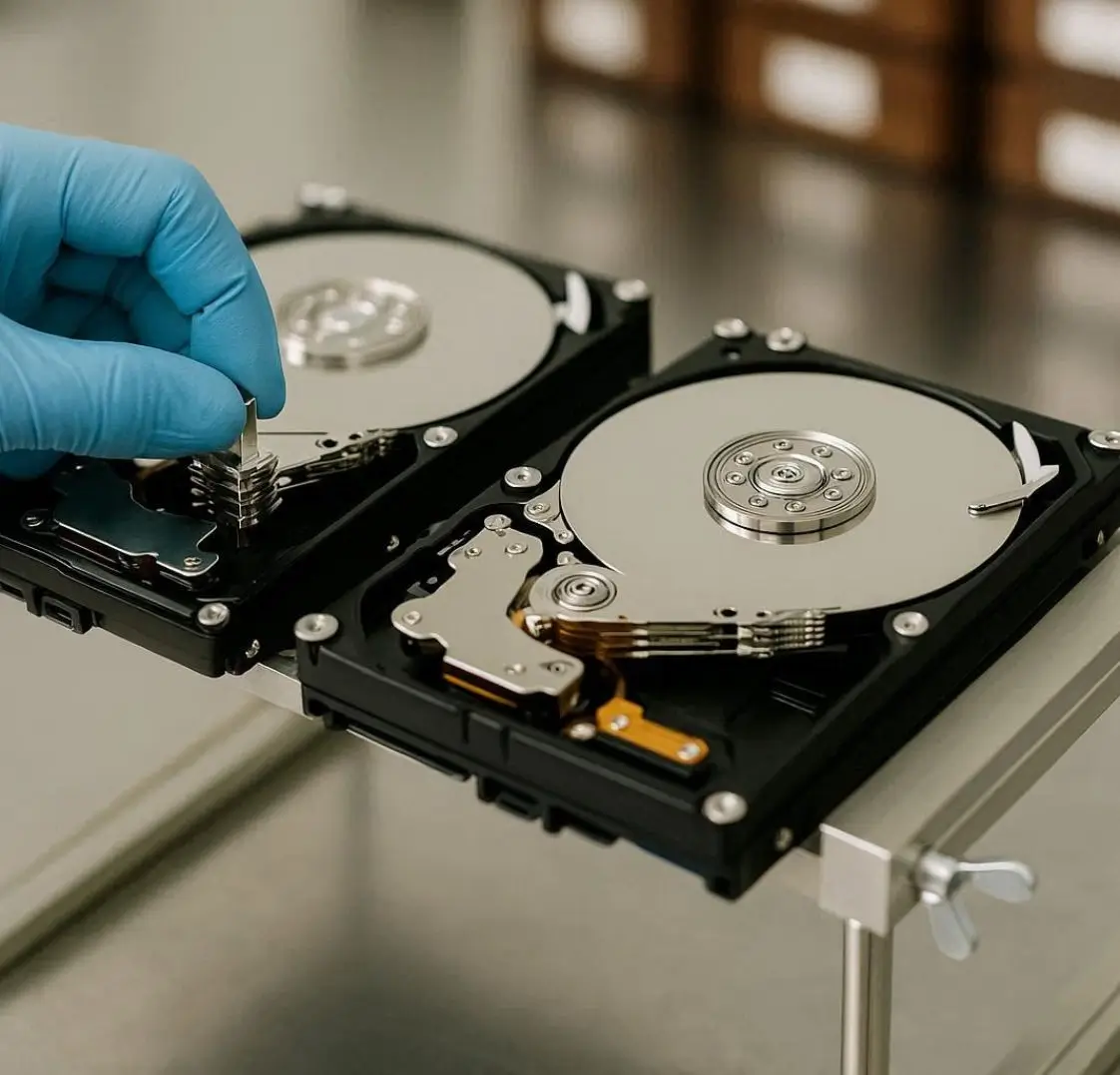
A donor hard drive is a fully working hard disk that is used to replace damaged internal components of a failed hard drive. It acts as a “parts provider” during advanced data recovery procedures.
In cases of severe physical damage, technicians may need to replace:
- Read/Write heads
- Actuator arm
- Spindle motor
- PCB (Printed Circuit Board)
- Firmware components
The donor drive must be exactly compatible with the damaged drive to ensure successful recovery.
Why Is a Donor Hard Drive Needed?
When a hard disk suffers mechanical failure, the internal parts can no longer read the data stored on the platters. Even though the data still exists, it cannot be accessed because the reading mechanism is damaged.
This is where a donor hard drive becomes essential.
1. Head Crash Recovery
If your hard drive makes a clicking sound, it may indicate a head crash. The read/write heads may be damaged and unable to access data. Technicians replace the faulty heads using parts from a donor drive.
2. PCB Failure
Sometimes a power surge can damage the circuit board (PCB). In this case, a matching donor PCB can be used, along with firmware transfer, to revive the drive.
3. Motor or Spindle Failure
If the disk platters are not spinning, the motor may have failed. A compatible donor drive helps recover usable internal components.
How Do Technicians Choose a Donor Hard Drive?
Selecting a donor drive is not random. It requires careful matching of:
- Same brand (Seagate, WD, Toshiba, etc.)
- Same model number
- Same firmware version
- Same production batch (in some cases)
Even small differences can cause recovery failure. That’s why professional data recovery labs in Kochi maintain an inventory of donor drives for various brands and models.
When Do You Need a Donor Hard Drive?
You may need donor-based recovery if your hard drive shows:
- Clicking or ticking noise
- Beeping sound
- Not spinning
- Not detected in BIOS
- Burning smell
- Physical drop damage
If you notice any of these signs, stop using the drive immediately to prevent further platter damage.
Why You Should Not Attempt Donor Replacement Yourself
Many people search online for DIY solutions, but replacing internal hard drive components without proper tools can permanently destroy your data.
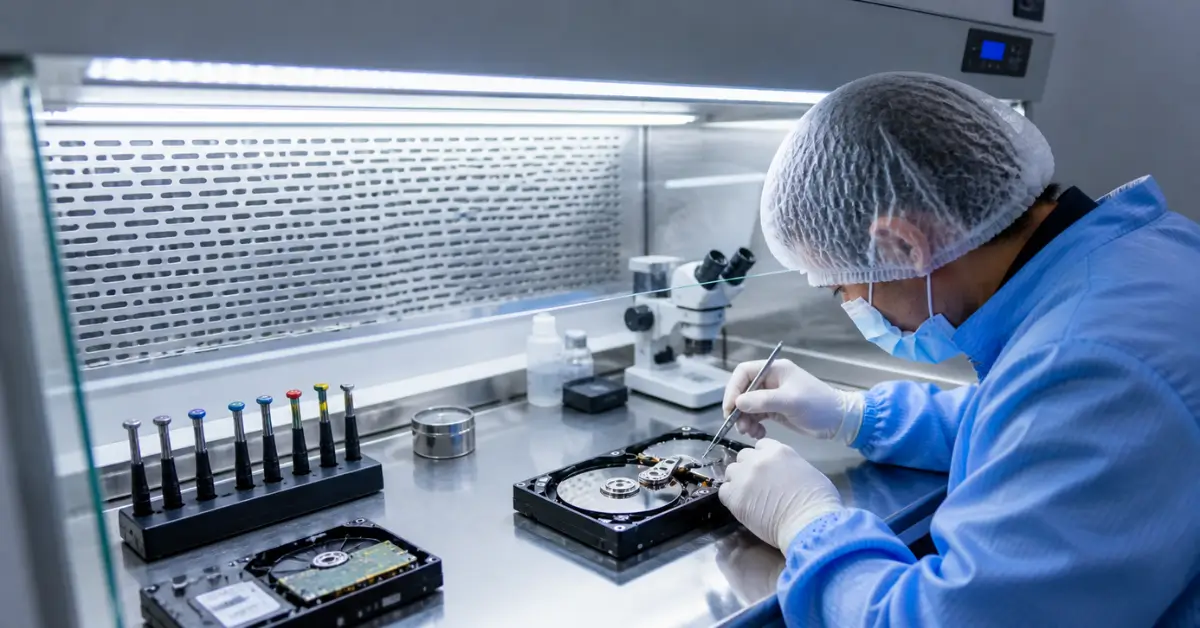
Professional data recovery labs use:
- Anti-static workstations
- Clean room environment (dust-free area)
- Specialized head replacement tools
- Firmware extraction tools
Opening a hard disk at home exposes the platter to dust particles, which can cause irreversible scratches.
Donor Hard Drive and Clean Room Environment
Physical recovery using a donor drive must be done inside a clean room. Even microscopic dust particles can damage the sensitive platters.
A professional data recovery service in Kochi uses controlled environments to safely replace damaged components and clone the drive before extracting data.
What Happens After Donor Replacement?
After replacing the damaged component:
- The drive is temporarily restored.
- A full sector-by-sector clone is created.
- Data is extracted from the cloned image.
- Recovered files are verified.
The repaired drive is not meant for long-term use. It is only stabilized long enough to retrieve your important data.