
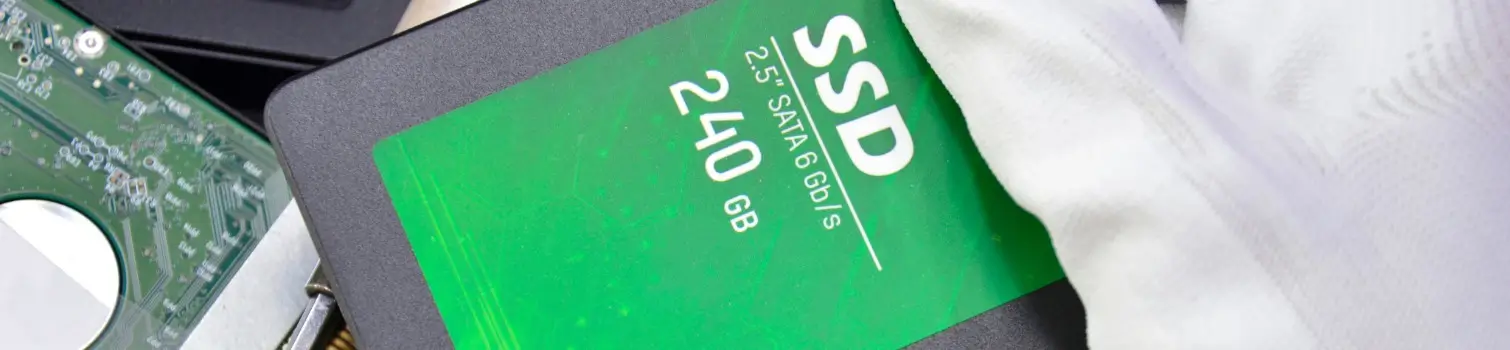
Reliable Solutions for Common SSD Problems and Safe Data Recovery
SSD problems like controller failure, NAND bad blocks, and firmware corruption can cause sudden data loss. PCPrompt Data recovery ensures safe repair, accurate diagnosis, and secure extraction of files without causing further damage. With advanced tools, experts restore access even when the SSD is not detected, unreadable, or stuck in read-only mode.
jobs completed
growth this year
success rate
For urgent cases where time is critical, we offer Emergency SSD Data Recovery — available 24×7. Depending on the issue, we can often deliver results within 24–72 hours.
Controller Failure
Controller failure makes SSDs disappear, freeze, or show wrong size; expert tools recover lost data.
Bad NAND Block
NAND wear or bad blocks slow SSDs, cause crashes, and lead to read-only mode; skilled recovery helps.
Firmware Problem
Firmware or mapping table corruption makes SSD data vanish and prevents access, expert recovery data.
Get back your important files —
Request a free data recovery checkup
TRIM informs the SSD controller which data blocks are no longer in use, allowing them to be erased internally. Once TRIM is executed, the SSD wipes NAND cells at the firmware level, making traditional data recovery methods ineffective.
How does the TRIM command affect SSD data recovery?
(Introduction) Solid State Drives (SSDs) have revolutionized data storage with faster speeds, durability, and efficiency compared to traditional hard drives. However, when it comes to SSD data recovery, one critical factor often overlooked is the TRIM command. TRIM is a feature built into modern operating systems and SSD controllers that helps maintain performance by clearing unused data blocks. While this improves speed and longevity, it also creates challenges for data recovery specialists. Understanding how TRIM command works and its impact on deleted files is essential for anyone concerned about SSD data recovery and long‑term data protection.
(What is TRIM?) The TRIM command is designed to optimize SSD performance by informing the drive which data blocks are no longer in use. When a file is deleted, the operating system sends a TRIM instruction to the SSD, marking those blocks as available for future writing. Unlike traditional hard drives, where deleted data often remains until overwritten, SSDs proactively clear these blocks. This ensures faster write speeds and reduces wear on the drive. However, from a data recovery perspective, TRIM makes retrieving deleted files significantly more difficult, as the information is often erased almost immediately.
(Impact on Deleted Files) For users, the biggest consequence of TRIM command is that deleted files are far less likely to be recoverable. On hard drives, recovery tools can often restore deleted data because it lingers until overwritten. With SSDs, TRIM ensures that once a file is deleted, the associated data blocks are quickly wiped clean. This means recovery software may find nothing to restore. While this enhances security by preventing unauthorized recovery of sensitive files, it poses a major challenge for individuals or businesses who accidentally delete important data and hope to recover it later.
(Technical Limits in Recovery) Data recovery experts face significant technical limitations when dealing with SSDs that use TRIM. Once the command has been executed, the original data is usually gone for good. Specialized forensic techniques may sometimes recover fragments, but success rates are much lower compared to hard drives. Additionally, recovery depends on factors such as the SSD’s firmware, controller design, and whether TRIM was enabled at the time of deletion. In many cases, even professional labs cannot retrieve data once TRIM command has cleared the blocks, making prevention strategies more important than relying on recovery.
(Disabling TRIM and Risks) Some users consider disabling TRIM to make SSD data recovery easier. While this may allow deleted files to remain on the drive longer, it comes with serious drawbacks. Without TRIM, SSD performance can degrade over time, leading to slower speeds and reduced lifespan. Moreover, disabling TRIM increases the risk of data corruption and inconsistent write operations. For businesses and individuals, the trade‑off between recovery potential and drive health must be carefully weighed. In most cases, keeping TRIM command enabled is recommended, and users should instead focus on proactive backup strategies to safeguard critical data.
(Best Practices and Conclusion) The best way to protect against data loss on SSDs is not to rely on recovery after deletion but to implement strong backup practices. Regular backups to external drives or cloud storage ensure that even if TRIM command erases deleted files, copies remain accessible. For sensitive environments, data recovery specialists may use advanced forensic tools, but success is limited once TRIM has acted. In conclusion, while TRIM boosts SSD performance and security, it significantly reduces the chances of successful data recovery. Understanding this trade‑off helps users make informed decisions about data management and protection.
SSD controller failure is one of the most complex recovery cases. Recovery may involve firmware repair or NAND chip-off techniques. Success depends on encryption, wear-leveling algorithms, and controller architecture.
Can data be recovered from an SSD controller failure?
(Introduction) Solid State Drives (SSDs) are widely used for their speed, durability, and efficiency, but they are not immune to hardware problems. One of the most serious issues is SSD controller failure, which can render the drive inaccessible. The controller acts as the brain of the SSD, managing data flow between the NAND flash memory and the computer. When this critical component fails, users often panic, wondering if their valuable data is lost forever. Understanding the nature of controller failure and the possibilities of recovery is essential for businesses and individuals who rely heavily on SSD technology.
(What is SSD Controller Failure?) An SSD controller failure occurs when the drive’s controller chip malfunctions or stops working. This chip is responsible for translating commands, managing wear leveling, and ensuring data integrity. Without a functioning controller, the SSD cannot communicate with the operating system, making the stored data inaccessible. Causes of controller failure include manufacturing defects, power surges, overheating, or firmware corruption. Unlike traditional hard drives, where mechanical issues can sometimes be bypassed, SSD controller failure is more complex because the controller is tightly integrated with the NAND architecture, making recovery a highly technical challenge.
(Impact on Data Accessibility) When an SSD controller failure happens, the drive may not be recognized by the BIOS or operating system. In some cases, it may appear as uninitialized or show incorrect capacity. This makes standard recovery software ineffective, as the issue lies in hardware communication rather than logical corruption. For users, this means that DIY recovery attempts are unlikely to succeed. The data itself may still reside intact within the NAND flash chips, but without a functioning controller, there is no direct way to access it. Specialized techniques are required to extract and reconstruct the information.
(Professional Recovery Methods) Data recovery from SSD controller failure typically requires professional intervention. Experts use advanced tools to bypass the faulty controller and directly access the NAND chips. This process involves removing the chips from the SSD board, reading them with specialized equipment, and reconstructing the data using proprietary algorithms. Because SSDs use complex wear‑leveling and encryption techniques, recovery is not straightforward. Each controller has unique firmware and mapping tables, which must be interpreted correctly to rebuild the data. While success rates vary, professional labs often achieve partial or full recovery depending on the extent of the controller damage.
(Limitations and Risks) Despite advanced techniques, recovering data from SSD controller failure has limitations. If the controller’s firmware is corrupted beyond repair or if the NAND chips themselves are damaged, recovery may be impossible. Additionally, encrypted SSDs pose extra challenges, as the encryption keys are often stored within the controller. Without access to these keys, even raw data extraction may be useless. The process is also time‑consuming and expensive, requiring specialized expertise. Users should be cautious of low‑cost recovery services that promise guaranteed results, as SSD recovery is one of the most complex areas in data recovery.
(Prevention and Conclusion) The best way to protect against SSD controller failure is prevention through regular backups and proper drive maintenance. Using surge protectors, keeping firmware updated, and avoiding overheating can reduce the risk of controller malfunction. However, no SSD is completely immune to failure. If controller failure occurs, professional recovery services may offer a chance to retrieve critical data, but success is never guaranteed. In conclusion, while data can sometimes be recovered from an SSD with controller failure, the process is highly technical and limited. Proactive backup strategies remain the most reliable safeguard against permanent data loss.
NVMe SSDs use faster interfaces, complex controllers, and advanced encryption. Many NVMe drives encrypt data automatically, making recovery nearly impossible if the controller or firmware fails.
Why is NVMe SSD data recovery more difficult than SATA SSD?
(Introduction)
Solid State Drives (SSDs) have transformed data storage, offering speed and reliability far beyond traditional hard drives. However, when it comes to NVMe SSD data recovery, users often discover that the process is significantly more complex compared to SATA SSD recovery. NVMe drives use advanced protocols and architectures designed for high‑performance computing, but these same features introduce challenges for data recovery specialists. Understanding why NVMe recovery is more difficult than SATA recovery helps businesses and individuals prepare for potential data loss scenarios and highlights the importance of proactive backup strategies to safeguard critical information.
(Technical Differences)
The primary reason NVMe SSD data recovery is more difficult lies in the technical differences between NVMe and SATA drives. SATA SSDs use a simpler interface that closely resembles traditional hard drives, making recovery tools more compatible. NVMe SSDs, on the other hand, leverage the PCIe bus and advanced command sets, which require specialized hardware and software to interpret. This complexity means that standard recovery tools often fail to access NVMe drives. Additionally, NVMe controllers handle data mapping differently, making reconstruction of lost files more challenging compared to the relatively straightforward architecture of SATA SSDs.
(Controller and Firmware Complexity)
Another factor complicating NVMe SSD data recovery is the controller and firmware design. NVMe drives rely on sophisticated controllers that manage wear leveling, error correction, and parallel data access. Firmware corruption or controller failure can render the drive inaccessible, and recovery requires proprietary knowledge of the controller’s mapping tables. SATA SSDs, while also using controllers, generally have less complex firmware structures. This difference means that recovery specialists must invest in advanced tools and expertise to handle NVMe firmware issues, making the process slower, more expensive, and less predictable compared to SATA SSD recovery.
(Encryption and Security Features)
Modern NVMe drives often include built‑in encryption and enhanced security features, which further complicate NVMe SSD data recovery. Encryption keys are frequently stored within the controller, and if the controller fails, accessing encrypted data becomes nearly impossible. SATA SSDs may also use encryption, but NVMe drives tend to implement more advanced security protocols due to their enterprise‑level applications. While these features protect sensitive data from unauthorized access, they also reduce the chances of successful recovery after hardware or firmware failure. This dual role of security—protection and limitation—makes NVMe recovery inherently more difficult.
(Specialized Tools and Expertise)
Recovering data from NVMe drives requires specialized equipment and deep technical expertise. Professional labs handling NVMe SSD data recovery often use chip‑off techniques, where NAND flash chips are physically removed and read with advanced hardware. The extracted raw data must then be reconstructed using proprietary algorithms that account for NVMe’s complex mapping. SATA SSD recovery, by contrast, is more compatible with widely available recovery tools. The need for specialized tools, firmware knowledge, and controller interpretation makes NVMe recovery more time‑consuming and costly, limiting accessibility for average users and increasing reliance on professional services.
(Conclusion and Best Practices)
In conclusion, NVMe SSD data recovery is more difficult than SATA SSD recovery due to technical architecture, controller complexity, encryption, and the need for specialized tools. While recovery is sometimes possible, success rates are lower and costs are higher compared to SATA drives. For businesses and individuals, the lesson is clear: prevention is better than cure. Regular backups, surge protection, and careful firmware updates are essential to minimize risks. By understanding the challenges of NVMe recovery, users can make informed decisions about data management and ensure that critical files remain safe even in the event of drive failure.
Recovery time depends on damage level. Logical issues may take hours, while firmware or chip-level recovery can take several days for safe extraction.
Data recovery possible after SSD firmware corruption?
(Introduction)
Solid State Drives (SSDs) are known for speed and reliability, but they are not immune to technical issues. One of the most complex problems users face is SSD firmware corruption, which can make the drive inaccessible and raise concerns about data loss. Firmware acts as the communication bridge between the SSD’s hardware and the operating system. When it becomes corrupted, the drive may fail to initialize or display errors. This situation often leaves users wondering whether data recovery is possible. Understanding the nature of firmware corruption is the first step toward evaluating recovery options.
(What is SSD Firmware Corruption?)
SSD firmware corruption occurs when the internal software controlling the SSD malfunctions or becomes damaged. Firmware manages essential processes such as wear leveling, error correction, and data mapping. If corrupted, the SSD may not respond correctly to system commands, leading to boot failures or unreadable partitions. Causes include interrupted firmware updates, power surges, malware, or manufacturing defects. Unlike logical errors, firmware corruption affects the SSD at a fundamental level, making recovery more challenging. Recognizing the symptoms—such as sudden drive disappearance or unusual error codes—helps users identify when firmware corruption is the likely culprit.
(Impact on Data Accessibility)
When SSD firmware corruption occurs, the data stored on the NAND flash chips usually remains intact, but the controller cannot properly access it. This means the operating system may fail to detect the drive or misreport its capacity. Standard recovery software is ineffective because the issue lies in firmware communication rather than file system corruption. For users, this creates frustration, as the data is technically present but inaccessible. Without specialized tools, attempts to recover files often fail. Understanding this distinction is crucial, as it explains why firmware corruption requires advanced recovery methods.
(Professional Recovery Methods)
Data recovery from SSD firmware corruption typically requires professional intervention. Recovery experts use specialized hardware and software to repair or bypass the corrupted firmware. In some cases, technicians reprogram the SSD controller or load a compatible firmware version to restore functionality. If repair is not possible, they may directly access the NAND chips using chip‑off techniques. This involves extracting raw data and reconstructing it with proprietary algorithms. Because SSDs use complex mapping tables and encryption, recovery is highly technical. Success rates depend on the severity of corruption, the SSD model, and the availability of firmware resources.
(Limitations and Risks)
Despite advanced techniques, recovering data after SSD firmware corruption has limitations. If the firmware is severely damaged or proprietary encryption is involved, recovery may be impossible. Some SSD manufacturers restrict access to firmware tools, making repairs more difficult. Additionally, chip‑off recovery is time‑consuming and expensive, requiring specialized expertise. Users should be cautious of DIY attempts, as improper handling can worsen the damage. While professional labs may achieve partial or full recovery, success is never guaranteed. This highlights the importance of proactive measures such as backups, since relying solely on recovery after firmware corruption is risky.
(Prevention and Conclusion)
The best way to protect against SSD firmware corruption is prevention. Users should avoid interrupting firmware updates, use surge protectors, and keep systems free from malware. Regular backups to external drives or cloud storage remain the most reliable safeguard against permanent data loss. In conclusion, while SSD data recovery is sometimes possible after firmware corruption, it requires specialized tools and expertise. Success depends on the extent of corruption and the SSD’s design. For businesses and individuals, the lesson is clear: prevention and backup strategies are far more dependable than hoping for recovery after firmware failure.
best ssd data recovery software
**SSD Data Recovery: Your Guide to Restoring Lost Data**
- In today’s digital age, Solid State Drives (SSDs) have become the preferred storage solution for many users due to their speed and reliability. However, like any storage device, SSDs are not immune to data loss. Whether due to accidental deletion, hardware failure, or corruption, the need for SSD file recovery is a common concern. This article will guide you through the essentials of SSD file recovery, helping you understand the process and options available.
- When you experience data loss on your SSD, the first step is to stop using the drive immediately. Continuing to write data can overwrite the lost files, making recovery more difficult or even impossible. If you have a backup, restoring your data from there is the simplest solution. However, if you don’t have a backup, don’t panic. There are several methods for SSD data recovery.
- One of the most effective ways to recover lost data is by using specialized software. Numerous data recovery tools are available that can help you retrieve lost files from your SSD. These programs scan the drive for recoverable data and can often restore files that were deleted or lost due to corruption. Popular options include Recuva, EaseUS Data Recovery Wizard, and Stellar Data Recovery. Always ensure you download software from reputable sources to avoid further complications.
- If software recovery doesn’t yield results, you may need to consider professional SSD file recovery services. These experts have advanced tools and techniques to recover data from damaged or malfunctioning SSDs. While this option can be more expensive, it is often the best choice for critical data loss situations.
- Preventing data loss is always better than recovery. Regularly back up your data using cloud services or external drives. Additionally, ensure your SSD firmware is up to date and monitor the health of your drive using diagnostic tools.
- In conclusion, SSD data recovery is a crucial process for anyone who relies on digital storage. By understanding the recovery options available and taking preventive measures, you can safeguard your valuable data and minimize the impact of potential data loss. For more information on SSD recovery, visit our dedicated page at.
ssd data recovery
ssd data recovery
SSD Recovery Services – Restore Data from Damaged or Failed SSDs
Recover lost files from SATA, NVMe & M.2 SSDs – No Recovery, No Payment ssd data recovery services
SSD failures can occur suddenly without warning, leaving important files completely inaccessible. Whether the drive is not detecting, showing zero MB storage, failing after a system crash, or damaged due to firmware or controller issues, losing critical data can be extremely stressful. PCPrompt Data Recovery in Kochi, Kerala specializes in professional Best Data Recovery Software, using advanced chip-level technology and industry-leading tools to safely retrieve valuable files from failed SSDs.
What Is data recovery software for ssd drives?
Data recovery is the process of extracting inaccessible or lost data from solid-state drives affected by logical errors, hardware malfunction, firmware corruption, power surge, or physical damage. Unlike HDDs, SSDs store data on flash memory chips with complex controllers, so recovery requires specialized equipment like PC-3000 Portable III, DeepSpar, NVMe adapters, chip-off and monolith techniques. Basic software cannot solve most SSD failures because the data is encrypted and controller dependent.
Common SSD Issues We Recover
- SSD not detecting
- Sudden failure / dead SSD
- Disk showing 0 MB or RAW
- Blue screen / boot loop
- Firmware corruption or controller failure
- Deleted or formatted partition
- Bad sectors / slow read
- Water or physical damage
- Power surge or PCB burn
- NVMe overheating failure
If your SSD stops responding, do not try to format or rewrite data, as this may permanently damage internal flash memory.
Types of SSD We Support
We recover data from all brands, models, and interfaces:
By Interface
- NVMe / PCIe SSD
- SATA SSD (2.5 inch)
- M.2 SSD (SATA & NVMe)
- mSATA, U.2, U.3, Apple SSD
By Brand
Samsung, Kingston, WD, Seagate, HP, Crucial, Adata, Sony, Intel, Lenovo, Dell, Transcend, Sandisk, Toshiba and more
Our SSD Recovery Process
We follow a secure and transparent multi-step recovery method:
- Free diagnosis & problem evaluation
- Quotation based on complexity
- Advanced recovery using PC-3000 & chip-level tools
- Preview recovered files
- Pay after successful recovery
Secure delivery in your preferred storage device ssd data recovery tools
- In spite of. On the one hand… on the other hand. Nevertheless. Nonetheless. Notwithstanding. In contrast. On the contrary. Still, yet. First. Second. Third… next. Then. Finally. After. Afterward. At last. Before. Currently. During. Earlier. Immediately. Later. Meanwhile. Now. Recently. Simultaneously. Subsequently. Then. For example. For instance. Namely. Specifically. To illustrate. Even. Indeed. In fact. Of course. True. Above. Adjacent. Below. Beyond. Here. In front. In back. Nearby. There. Accordingly. Consequently. Hence. So. Therefore. Thus. Additionally. Again. Also. And. As well. Besides. Equally important. Further. Furthermore. In addition. Moreover. Then. Finally. In a word. In brief. Briefly. In conclusion. The end. In the final analysis.

Learn about PCPrompt Kochi, offering professional data recovery services for hard drives, SSDs, USBs, and RAID systems.

PCPrompt is a trusted data recovery company in Kerala offering expert solutions for hard drives, SSDs, laptops, RAID servers, memory cards, and USB drives with a No Data, No Charge guarantee.

Learn about PCPrompt Kerala, offering professional data recovery services for hard drives, SSDs, USBs, and RAID systems.

Expert hard drive recovery in Kochi for crashed, damaged, or corrupted HDDs. Fast, secure, and handled by skilled engineers.

Professional Toshiba hard disk data recovery with advanced tools to restore your lost files safely and securely.

Recover lost or damaged data from Hitachi hard disks with PCPrompt Data Recovery’s professional and secure recovery process.

PCPrompt Data Recovery restores valuable data from old Samsung hard disks with advanced recovery tools and proven expertise.

PCPrompt Data Recovery provides professional recovery for WD Marvell2 v2 hard disks, ensuring safe and complete data restoration.

Recover valuable data from WD Marvell1 hard disks with PCPrompt Data Recovery’s professional and secure recovery services.

PCPrompt Data Recovery specializes in recovering data from Western Digital Caviar hard disks with advanced techniques and expert care.

Recover data from Seagate hard disks quickly and securely with PCPrompt Data Recovery’s expert solutions and advanced tools.

Recover lost or damaged data from Seagate Barracuda hard disks with PCPrompt Data Recovery’s professional and reliable recovery solutions.

Recover data from Samsung new hard disks with PCPrompt Data Recovery’s advanced tools and expert techniques for maximum success.