requirements & challenges
Hard Drive Data Recovery - the client reported unusual clicking noises from the hard drive before the system stopped booting. After multiple restart attempts, the computer failed to detect the drive completely. All accounting software data, invoices, and client records were at risk.
- Physically failing hard disk with clicking sound
- Drive not detected in BIOS
- Critical financial data stored on the disk

solutions we provided
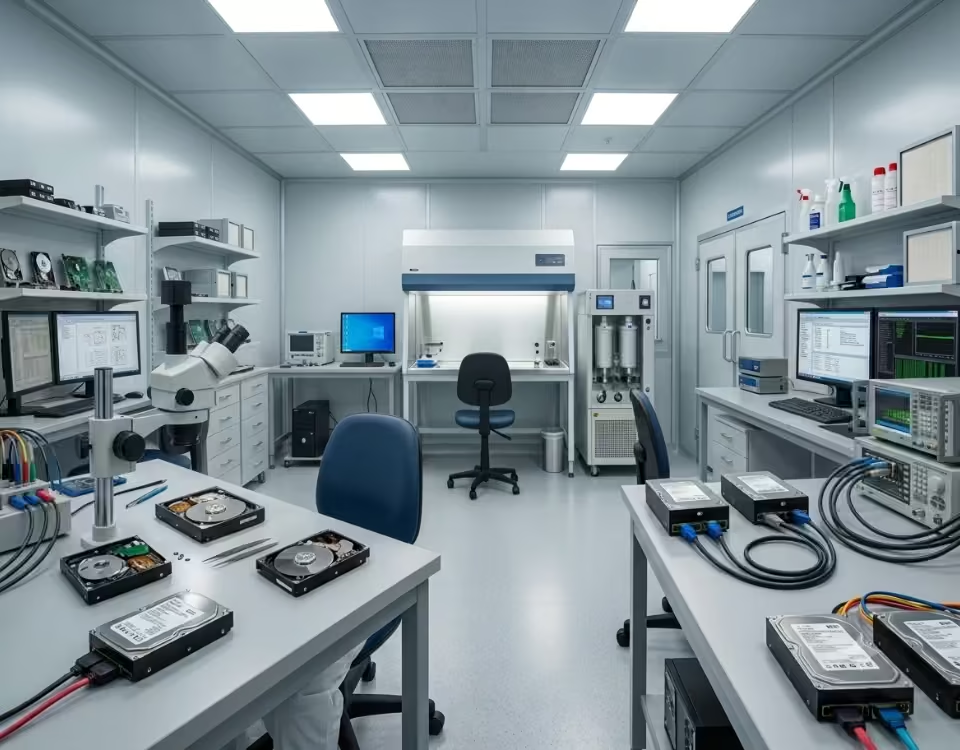
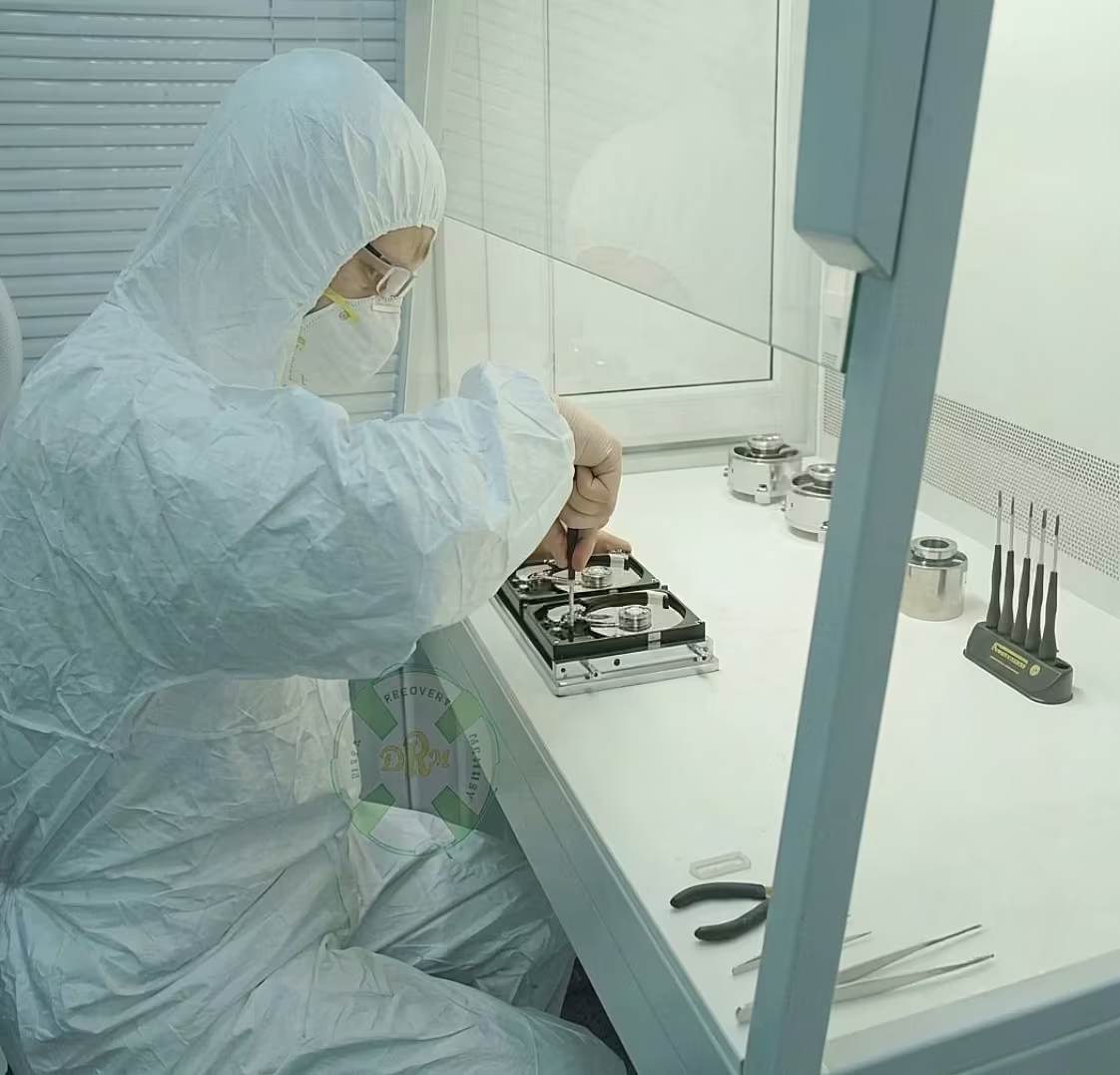
Our data recovery engineers conducted a full diagnostic of the failed hard drive. The issue was identified as a head failure inside the drive. The disk was carefully opened in a controlled clean environment, and the damaged components were replaced using compatible donor parts.
After stabilizing the drive, a sector-by-sector clone was created to secure the data. Logical repairs were performed on the file system, and all essential files were extracted.
The recovered data included accounting software databases, invoices, and client documents. All files were transferred to a new storage device and verified before delivery. The client successfully resumed operations without further data loss.
Frequently Asked Questions About Hard Disk Data Recovery
Yes, data can often be recovered from a dead hard disk. Although a hard drive failure can seem like a disaster, many recovery specialists successfully retrieve data from damaged or non-functional drives. The recovery outcome depends on the cause of the failure and the overall condition of the disk.
Hard disks fail for several reasons. For instance, physical damage from drops, water exposure, or overheating can stop a drive from working properly. Similarly, electrical issues such as power surges can damage internal components. In addition, software problems, malware infections, and file system corruption can make files inaccessible even when the drive hardware remains intact.
Fortunately, modern hard disk data recovery techniques can address many of these issues. If software corruption causes the problem, technicians often use advanced recovery tools to locate and restore lost files. On the other hand, physical damage requires more specialized methods. Recovery experts may repair damaged components, access the drive in a cleanroom environment, and extract data directly from the storage media.
However, your actions after a hard drive failure play a major role in recovery success. As soon as you notice unusual clicking sounds, repeated crashes, or a drive that no longer appears on your computer, stop using it immediately. Continuing to operate a failing drive can worsen the damage and reduce the chances of successful recovery. Instead, disconnect the device and seek professional assistance.
Moreover, avoiding do-it-yourself repairs is important. Many users attempt to open a hard disk or run multiple recovery programs without understanding the underlying issue. Unfortunately, these actions can make recovery more difficult and sometimes lead to permanent data loss. Therefore, professional data recovery services remain the safest option for valuable or irreplaceable files.
Furthermore, regular backups provide the best protection against unexpected drive failures. While experts can recover data from many damaged hard disks, no recovery process offers a 100% success rate. For this reason, storing copies of important files on external drives or cloud platforms helps prevent major data loss.
In conclusion, data can be recovered from a dead hard disk in many situations. Whether the failure results from physical damage, electronic issues, or software corruption, professional recovery specialists often have the tools and expertise to restore lost files. By acting quickly and choosing expert recovery services, you can significantly improve your chances of recovering important data.
Hard disk failure can happen unexpectedly and often results in serious data loss. Understanding what causes hard disk failure is important because it helps users take preventive measures before valuable files become inaccessible. Hard drives contain delicate mechanical and electronic components that work together to store and retrieve data. Therefore, even a minor issue can affect the drive’s performance and reliability.
One of the most common causes of hard disk failure is physical damage. Since traditional hard disk drives (HDDs) contain spinning platters and moving read/write heads, they are vulnerable to shocks, drops, and vibrations. For example, if a laptop falls while the hard drive is operating, the read/write head may touch the platter surface and cause permanent damage. As a result, the drive may start making clicking noises or become completely unreadable.
Another major reason is overheating. Hard drives generate heat during normal operation. However, poor ventilation, dust accumulation, or prolonged usage can increase internal temperatures beyond safe limits. Consequently, excessive heat may damage electronic components and reduce the lifespan of the drive. Regular cleaning and proper airflow can significantly lower this risk.
Power-related problems also contribute to hard disk failure. Sudden power outages, voltage fluctuations, and faulty power supplies can damage the drive’s circuit board. Furthermore, repeated improper shutdowns may corrupt important system files and affect data integrity. Therefore, using a quality surge protector or uninterruptible power supply (UPS) is highly recommended.
In addition, bad sectors can develop over time. Bad sectors are damaged areas on the disk that can no longer store data reliably. While a few bad sectors may not cause immediate failure, their number can increase gradually. Eventually, the drive may become slow, unstable, or unable to boot. Regular disk health monitoring can help identify these issues early.
Firmware corruption is another factor that many users overlook. The firmware controls how the hard drive communicates with the computer. If the firmware becomes corrupted due to software bugs or unexpected interruptions, the drive may stop responding properly. Similarly, manufacturing defects and natural wear and tear can also lead to failure after years of continuous use.
To reduce the risk of hard disk failure, users should create regular backups, maintain proper cooling, and handle storage devices carefully. Moreover, monitoring drive health can help detect warning signs before complete failure occurs. If a hard drive starts making unusual noises or becomes inaccessible, professional data recovery assistance may be necessary to recover important files safely.
The hard disk data recovery cost can vary significantly depending on the type of failure, the condition of the drive, and the complexity of the recovery process. When important files become inaccessible, many people immediately want to know how much recovery will cost. However, the price is not fixed because every hard drive failure is different. Understanding the factors that affect pricing can help you make an informed decision.
First of all, the condition of the hard drive plays a major role in determining the recovery cost. If the drive has a simple logical issue, such as accidental deletion, formatting, or file system corruption, the recovery process is usually less complex. As a result, the cost is generally lower. On the other hand, physical damage often requires specialized equipment and advanced recovery techniques, which can increase the overall price.
Another important factor is the type of hard disk failure. For example, drives suffering from bad sectors, firmware corruption, or partition damage may require extensive scanning and repair procedures. Furthermore, if the hard drive has suffered a head crash, motor failure, or severe electronic damage, technicians may need to perform cleanroom operations and component replacements. Consequently, these advanced procedures typically cost more than standard recovery services.
The storage capacity of the hard drive can also influence the hard disk data recovery cost. Larger drives contain more data and often require longer recovery times. Therefore, recovering files from a multi-terabyte hard drive may take more effort than recovering data from a smaller storage device.
In addition, the urgency of the recovery request may affect pricing. Many recovery companies offer emergency or priority services for businesses and individuals who need their files restored quickly. While these services can reduce downtime, they often come with additional charges. Nevertheless, they can be valuable when critical business documents or personal memories are at risk.
It is also important to choose a professional data recovery provider. Reputable recovery specialists use advanced diagnostic tools and secure recovery procedures to maximize success rates. Moreover, many trusted companies offer a “no recovery, no charge” policy, which provides peace of mind for customers.
Before proceeding with recovery, it is advisable to request a detailed evaluation of the hard drive. This assessment helps determine the exact cause of failure and provides an accurate estimate of the recovery cost. Ultimately, investing in professional recovery services can be worthwhile when valuable data cannot be replaced. Additionally, maintaining regular backups can help avoid unexpected recovery expenses in the future.
Yes, hard disk recovery after formatting is often possible, especially when the formatted drive has not been heavily used afterward. Many people believe that formatting permanently removes all files. However, in most cases, the data remains on the hard drive until new information overwrites it. Therefore, quick action can significantly improve the chances of successful recovery.
When a hard drive is formatted, the operating system usually removes file references rather than immediately erasing the actual data. As a result, the files may still exist on the storage media even though they are no longer visible. Consequently, professional recovery tools and techniques can often locate and restore these lost files.
The success of hard disk recovery after formatting depends on several factors. First, the type of formatting performed is important. A quick format generally leaves most data intact, making recovery easier. In contrast, a full format may overwrite portions of the drive and reduce the chances of recovering all files. Nevertheless, recovery may still be possible in certain situations.
Another key factor is whether new data has been written to the drive after formatting. If the hard disk continues to be used, new files can overwrite the original data. Consequently, the recoverable data may become partially or completely lost. For this reason, experts recommend stopping all use of the drive immediately after accidental formatting.
Furthermore, the condition of the hard drive also affects recovery results. A healthy drive with no physical damage usually offers a higher recovery success rate. However, if the drive has bad sectors, firmware issues, or mechanical failures, the recovery process becomes more complex. In such cases, specialized equipment and professional expertise may be required.
Professional data recovery specialists use advanced software and hardware tools to scan the formatted drive and identify recoverable files. Moreover, they can often reconstruct file systems and recover documents, photos, videos, databases, and other valuable data. Therefore, professional assistance is often the safest option when important information is involved.
Additionally, attempting multiple recovery methods without proper knowledge can sometimes make the situation worse. Instead, it is advisable to seek expert help as soon as possible. This approach helps protect the remaining data and increases the likelihood of successful recovery.
In conclusion, hard disk recovery after formatting is frequently possible, particularly when the drive has not been overwritten. Although recovery success varies depending on the circumstances, many formatted drives still contain recoverable data. Therefore, acting quickly and consulting experienced data recovery professionals can greatly improve the chances of restoring valuable files and minimizing permanent data loss.
The hard disk recovery time depends on several factors, including the type of failure, the amount of data involved, and the condition of the storage device. When important files become inaccessible, one of the first questions people ask is how long the recovery process will take. Although every situation is unique, understanding the factors that affect recovery time can help set realistic expectations.
First, the type of hard drive problem plays a major role. If the issue is logical, such as accidental deletion, formatting, or file system corruption, recovery may be completed relatively quickly. In many cases, technicians can recover the data within a few hours or a couple of days. However, more complex issues often require additional time and specialized procedures.
On the other hand, physical hard drive failures generally take longer to recover. For example, drives suffering from head crashes, motor failures, firmware corruption, or electronic damage require advanced diagnostics and repairs before the recovery process can begin. Consequently, recovery may take several days or even weeks, depending on the severity of the damage.
Another factor affecting hard disk recovery time is the storage capacity of the drive. Larger hard drives contain more data, which means technicians need additional time to scan, image, and verify the recovered files. Similarly, drives with extensive bad sectors may require slower reading methods to prevent further damage and maximize data recovery success.
Furthermore, the condition of the drive significantly impacts the timeline. A hard disk that remains partially functional is usually easier to recover than one that is completely inaccessible. Therefore, the sooner the drive is evaluated after failure, the better the chances of a faster recovery process.
In addition, the amount of data requested by the customer can influence recovery duration. Recovering a small number of critical files may be completed sooner than restoring an entire drive containing terabytes of information. As a result, recovery specialists often prioritize important files when requested.
Emergency recovery services are also available from many professional data recovery providers. These priority services can reduce waiting times and accelerate the recovery process. However, they may involve additional costs due to the extra resources required.
Ultimately, there is no single answer to how long a recovery will take. Some cases are completed within hours, while others require several weeks of careful work. Nevertheless, choosing an experienced recovery specialist and avoiding further use of the failed drive can significantly improve recovery efficiency. Most importantly, maintaining regular backups remains the best way to minimize downtime and protect valuable data from unexpected hard drive failures.
Many people panic when they hear unusual clicking sounds coming from their hard drive. Fortunately, data recovery from a clicking hard drive is often possible when the problem is handled correctly. However, a clicking noise is usually a warning sign of a serious hardware issue, so immediate action is important to prevent further damage and increase the chances of successful recovery.
A clicking hard drive typically produces repetitive clicking or ticking sounds during startup or operation. In most cases, this noise occurs when the read/write heads cannot properly access the data stored on the drive platters. As a result, the drive repeatedly attempts to reposition the heads, creating the well-known “click of death.” Therefore, continuing to use the drive can make the situation worse and reduce recovery success rates.
Several factors can cause a hard drive to click. For example, physical shock, accidental drops, power surges, firmware corruption, or internal component failure may trigger this issue. Additionally, wear and tear from years of usage can affect the delicate mechanical parts inside the drive. Consequently, the hard drive may become inaccessible even though valuable files still remain on the platters.
The good news is that data recovery from a clicking hard drive is possible in many situations. Professional data recovery specialists use advanced diagnostic tools to identify the exact cause of the problem. Furthermore, if the issue involves damaged read/write heads, faulty firmware, or electronic failure, experts can perform specialized recovery procedures to access the stored data safely.
It is important to avoid common mistakes when dealing with a clicking hard drive. For instance, repeatedly restarting the drive, running recovery software, or opening the drive outside a controlled environment can cause additional damage. Instead, you should immediately power off the device and seek professional assistance. This approach helps protect the drive’s internal components and improves the likelihood of recovering important files.
Moreover, modern recovery laboratories use cleanroom environments and specialized equipment designed specifically for damaged hard drives. These tools allow technicians to repair or stabilize the drive long enough to create a complete data image. Once the data is safely copied, the recovered files can be transferred to a healthy storage device.
In conclusion, a clicking hard drive does not always mean permanent data loss. Although the problem often indicates a serious mechanical failure, professional recovery methods can frequently restore lost files. Therefore, if you hear clicking noises from your hard drive, stop using it immediately and consult an experienced data recovery specialist as soon as possible. Acting quickly can make a significant difference in the success of the recovery process.