Table of Contents
Looking for an expert recovery?

discover how we help you!

Where you’ll find expert guides, diagnostic utilities, and professional solutions designed to help you recover, repair, and manage storage devices efficiently. Where you’ll find expert guides, diagnostic utilities, and professional solutions designed to help you recover, repair, and manage storage devices efficiently.

Whether you are dealing with:

  • External hard drive errors
  • SSD failure
  • RAID server issues
  • USB device corruption
  • File system errors

Our tools and guides are built to provide accurate, safe, and effective solutions.

Why Storage & Recovery Tools Are Important

Data is one of the most valuable digital assets today. A small error in a storage device can result in:

  • Business downtime
  • Permanent data loss
  • Financial damage
  • Operational disruption

Using the right data recovery tools and diagnostic software helps detect problems early and improve recovery success rates.

Types of Tools You’ll Find in This Category

1️⃣ Hard Drive Diagnostic Tools

Hard disk drives (HDDs) can fail due to mechanical wear, bad sectors, or firmware corruption. Diagnostic tools help:

  • Scan bad sectors
  • Check SMART status
  • Monitor disk health
  • Identify read/write errors

Popular use cases:

  • External HDD not detected
  • Slow hard drive performance
  • Clicking noise diagnosis

2️⃣ SSD Health & Recovery Tools

SSDs require specialized tools due to their flash memory structure. These tools assist with:

  • TRIM optimization
  • Firmware updates
  • SSD cloning
  • Logical data recovery

Early detection of SSD wear can prevent unexpected failure.

3️⃣ RAID Monitoring & Recovery Utilities

RAID systems are complex and require professional handling. RAID tools help with:

  • RAID rebuild monitoring
  • Disk failure detection
  • RAID configuration analysis
  • Logical RAID recovery

Important: RAID is not a backup solution. Monitoring tools reduce risk but don’t replace backup strategies.

4️⃣ USB & External Drive Repair Tools

External storage devices often show errors like:

  • I/O device error
  • Drive not accessible
  • File system RAW
  • Device not recognized

Repair tools help fix:

  • Corrupted file systems
  • Partition issues
  • Driver conflicts

5️⃣ Data Backup & Cloning Tools

Preventing data loss is more important than recovering it. Backup and cloning tools help:

  • Create disk images
  • Clone failing drives
  • Schedule automatic backups
  • Protect against ransomware

Follow the 3-2-1 backup rule:

  • 3 copies of data
  • 2 different storage types
  • 1 offsite copy

How to Choose the Right Tool

Before using any recovery or repair tool, identify:

✔ Type of damage (logical or physical)
✔ Storage device type (HDD, SSD, RAID, USB)
✔ Error message shown
✔ Data importance level

If the device makes unusual sounds or overheats, avoid DIY tools and consult professionals.

When to Avoid DIY Tools

Do NOT use software tools if:

  • The hard drive is clicking
  • RAID has multiple disk failure
  • The drive is not spinning
  • The data is business-critical

Improper use of recovery software may permanently overwrite recoverable data.

The best tool depends on the issue. Logical errors can be fixed using recovery software, but physical damage requires professional recovery labs.
Free tools can help with accidental deletion but may reduce recovery chances if used incorrectly.
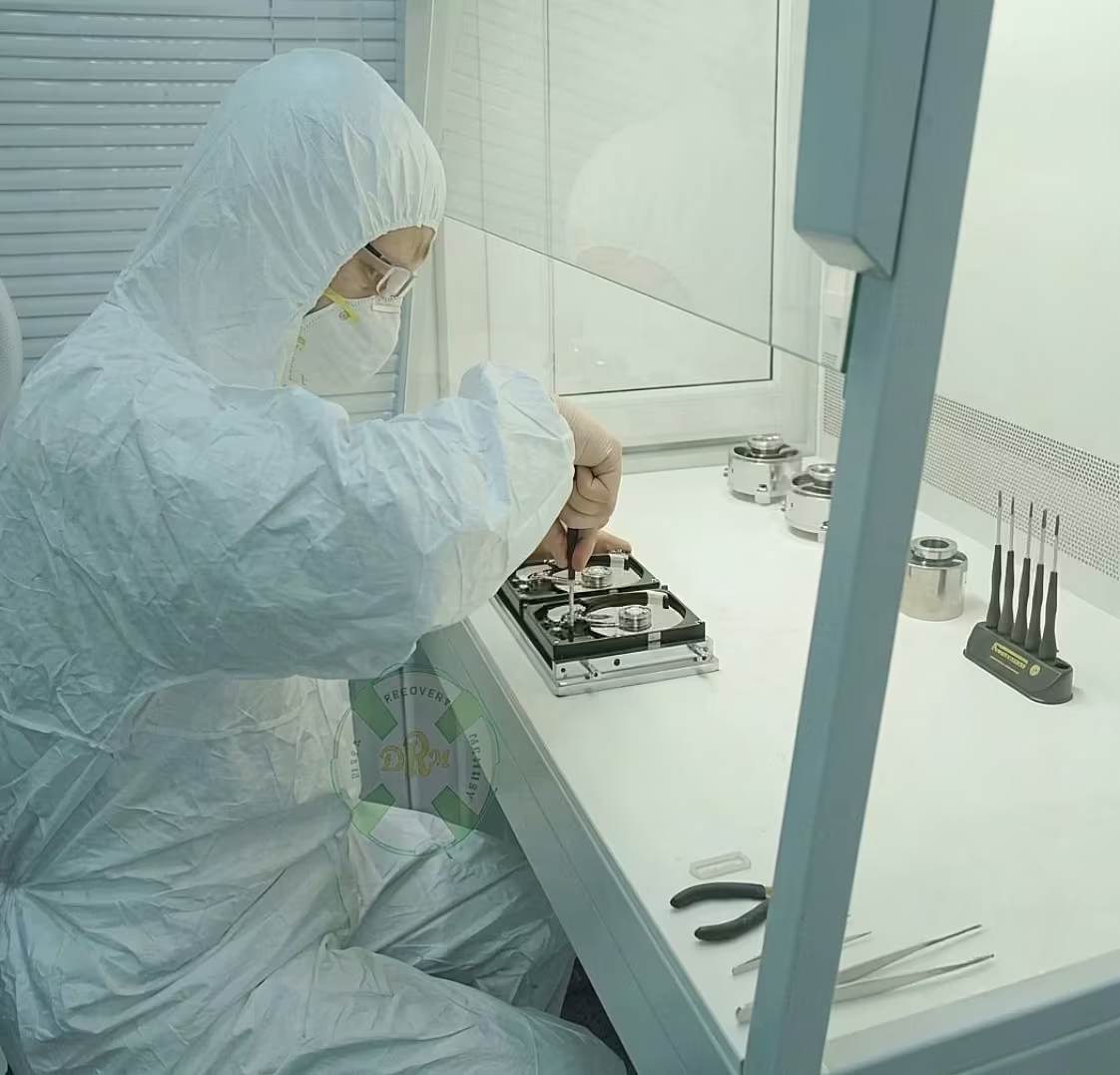
No. Physical damage requires cleanroom repair.
Regular backups, SMART monitoring, and safe device handling reduce risks.

The Verge covers the intersection of technology, science, art, and culture. It offers news, reviews, and features on gadgets, apps, and digital trends. With expert analysis and engaging storytelling, The Verge helps readers stay informed about innovation shaping modern life and the future.

 Latest News on HDD, SSD, RAID Failures, Cybersecurity Threats & Storage Innovations

  • Staying informed about developments in data storage, recovery technology, and cybersecurity is essential for anyone who depends on digital data, which, in 2026, means virtually everyone. PCPrompt’s updates section brings you the latest news and analysis from the world of data recovery, storage technology, and digital security, filtered through the lens of our engineering team’s daily experience in our Kochi lab. Whether you’re a business owner monitoring your server infrastructure or an individual keeping personal files safe, the updates here are relevant, practical, and written by people who recover data for a living. Visit our News & Insights page for the full archive.
  • Hard drive technology continues to evolve in 2026, with major manufacturers pushing capacities beyond 20TB using technologies like PMR (Perpendicular Magnetic Recording), SMR (Shingled Magnetic Recording), and HAMR (Heat-Assisted Magnetic Recording). SMR drives, in particular, have created new challenges for data recovery, their shingled write tracks mean that recovery software must account for overlapping write zones that traditional imaging tools don’t handle well. PCPrompt’s engineers have updated their imaging workflows to address SMR-specific issues, ensuring that recovery from SMR drives (common in consumer NAS devices and desktop HDDs) is handled correctly. If you have an SMR drive that has failed, see our HDD data recovery service for current recovery options.
  • NVMe SSD failures are increasing in frequency as NVMe adoption accelerates across laptops, workstations, and enterprise servers. The speed advantage of NVMe over SATA SSDs is significant, but the failure modes are more complex. PCIe 4.0 and PCIe 5.0 NVMe drives now deliver speeds exceeding 7,000 MB/s, and when they fail, the data loss is instant and complete. PCPrompt’s SSD recovery lab has expanded its NVMe-specific recovery capability in 2025–2026, with new hardware readers supporting the latest PCIe 5.0 NAND architectures from Samsung, SK Hynix, Micron, and Kioxia. See our SSD data recovery service for full NVMe recovery details.
  • RAID technology updates are being driven by the enterprise shift toward NVMe-based all-flash arrays (AFA) and software-defined storage (SDS) platforms. Traditional hardware RAID controllers are increasingly being replaced by software RAID solutions, Linux mdadm, Windows Storage Spaces, ZFS, and BTRFS, which present new recovery challenges when they fail. PCPrompt now handles software RAID recovery alongside hardware RAID, including ZFS pool failures and Windows Storage Spaces degradation. Our RAID server recovery service covers all modern RAID configurations, both hardware and software-defined. Businesses in Kerala running modern NAS or server infrastructure should contact us for a free assessment if their array shows any warning signs.
  • Cybersecurity threats in 2026 continue to evolve at a rapid pace, with ransomware remaining the dominant threat to business data across India and globally. The LockBit, BlackCat, and Cl0p ransomware groups have been particularly active, targeting healthcare, legal, and financial sector organizations with double-extortion attacks that both encrypt data and threaten to publish it publicly. PCPrompt handles ransomware recovery cases where the file system or underlying storage has been damaged during the encryption process, cases where professional recovery may retrieve data even without the decryption key. Read our ransomware recovery article for a full analysis of what’s possible and what isn’t in ransomware recovery scenarios. RBI cybersecurity guidelines
  • I/O device errors are one of the most commonly reported issues in our inquiry line, and one of the most misdiagnosed. Many users run CHKDSK or attempt format repairs when they see an I/O error on an external drive, not realizing that these actions can overwrite recoverable data if the error is caused by physical drive damage rather than a file system issue. Our detailed I/O device error guide explains how to correctly diagnose the root cause before taking any action. The key rule: if the drive is making unusual sounds alongside the I/O error, stop immediately and contact a professional.
  • Data protection best practices are evolving in response to new threat landscapes. The traditional 3-2-1 backup rule (three copies, two media types, one offsite) has been extended by many security experts to 3-2-1-1-0: an additional offline or air-gapped copy, plus zero unverified backups, meaning all backups should be regularly tested for restorability. Cloud backup services such as Backblaze B2, AWS S3 Glacier, and Azure Blob Storage provide cost-effective offsite backup options for businesses in Kerala. However, cloud backup is not a substitute for local backup, cloud services can be encrypted by ransomware if the backup client has continuous write access. Combining local NAS backup with a cloud tier that uses versioning and object locking provides the strongest protection currently available.
  • Firmware updates for storage devices deserve more attention than most users give them. SSD manufacturers regularly release firmware updates that fix bugs affecting data retention, write performance, and drive stability. Seagate, Western Digital, and Samsung all provide firmware update utilities for their drives. In 2024–2025, several notable SSD firmware bugs caused mass data loss events, Samsung’s 990 Pro suffered a capacity degradation issue fixed by a firmware update, and WD’s My Cloud NAS had a critical vulnerability patched in a firmware release. Check your drive manufacturer’s website regularly for firmware updates, especially for NVMe SSDs and NAS devices. See our donor hard drive article for related reading on how firmware damage affects physical recovery.
  • Recovery success rates across PCPrompt’s lab have remained consistently high through 2025–2026, with our overall success rate holding at 97% across all case types. The most significant improvement has been in NVMe SSD recovery, where our investment in new chip-level hardware has increased our success rate from 88% to 94% on controller-failure cases. RAID 5 and RAID 6 recovery success rates remain above 95%, and HDD head crash recovery consistently exceeds 90%. We attribute these results to our policy of imaging before intervening, every device receives a forensic copy before any repair attempt begins. Contact PCPrompt at +91 9995438806 or through our contact page to discuss your specific situation.

Data Recovery Tools, Data Recovery Tools, Data Recovery Tools, Data Recovery Tools, Data Recovery Tools, Data Recovery Tools, Data Recovery Tools, Data Recovery Tools

your ideal recovery service
Related Articles & Guides