SSD Data Recovery – Data Restored from Dead Solid-State Drive

Dead Solid State Drive
overview

Software company faced sudden SSD failure, losing access to source code, projects, and client databases.

client

Software Development Company

location

Kannur, Kerala, India

category

requirements & challenges

The client reported that their system suddenly froze and failed to boot. After restarting, the SSD was no longer detected in the BIOS. The drive had no physical damage, but the controller failure made all stored data inaccessible.

  • SSD not detected by the system
  • Suspected controller or firmware failure
  • Urgent recovery required to continue projects
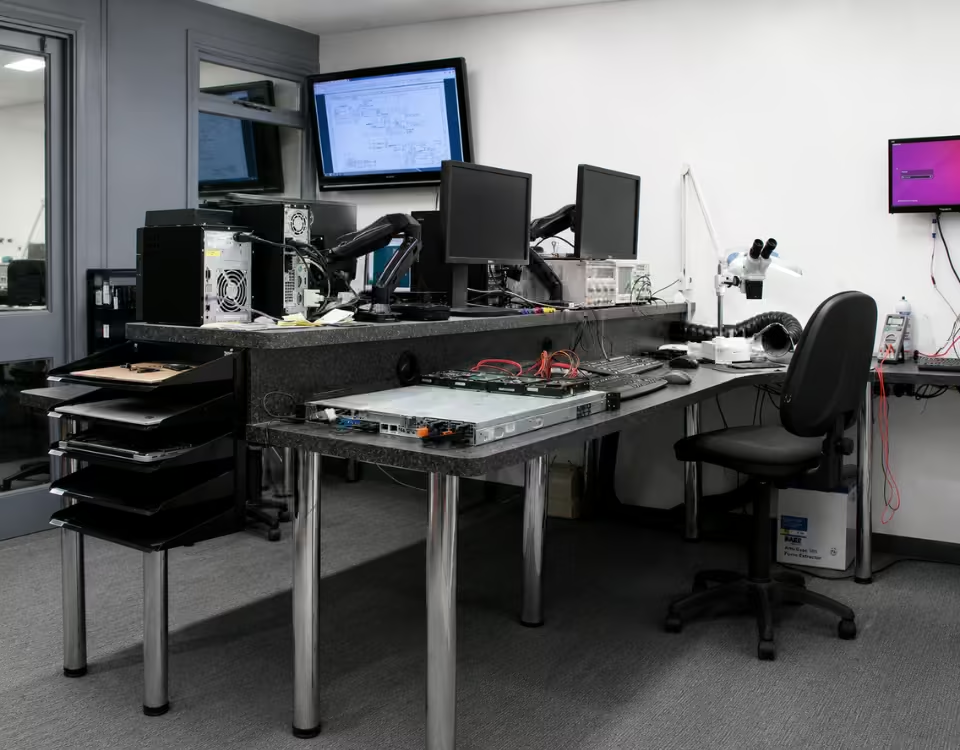
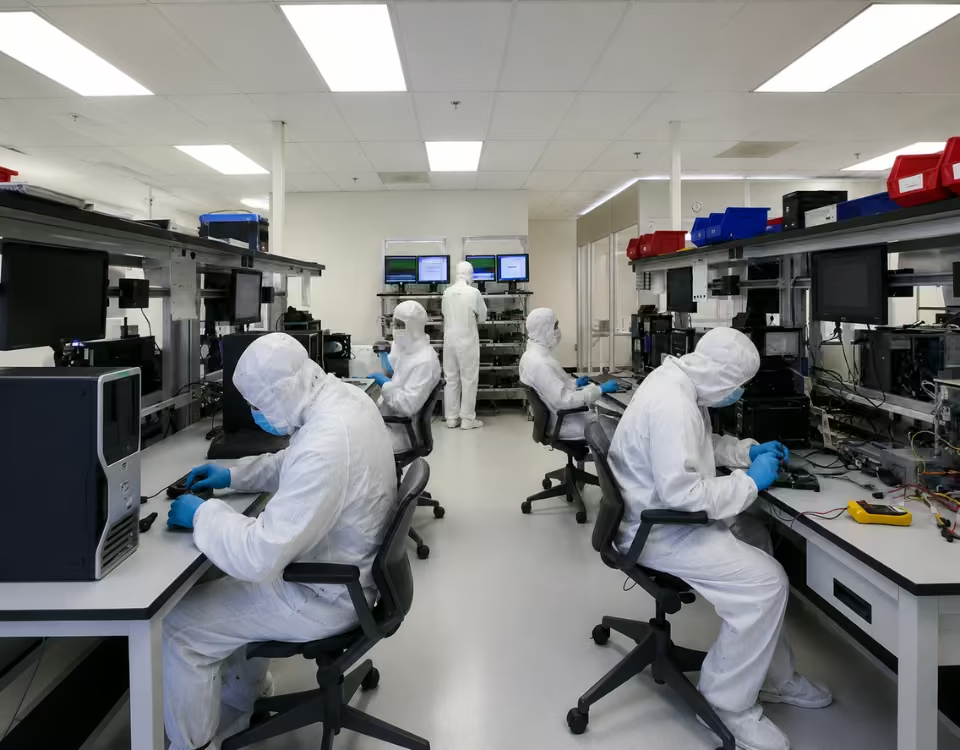
pcprompt kochi office
pcprompt cleam room

solutions we provided

Our engineers performed a detailed SSD diagnostic using specialized recovery equipment. The issue was identified as a firmware-related controller failure, preventing normal access to the NAND memory. Using professional SSD recovery techniques, we accessed the raw memory data and reconstructed the file system structure. The recovered data included project source codes, databases, and important documents.

All recovered files were verified for integrity and securely transferred to a new storage device. The client received complete access to their critical data and resumed operations without major delays.

know more about recovery

read service FAQ’s

Can data be recovered from a dead SSD?2026-06-18T23:11:44+05:30
  • Yes, data can often be recovered from a dead SSD, although the success of the recovery depends on the cause of the failure and the condition of the drive. A dead SSD does not always mean the stored data is permanently lost. In many cases, professional SSD data recovery specialists can retrieve important files from SSDs that are no longer detected, fail to boot, or appear completely unresponsive.
  • An SSD may be considered “dead” when it is not recognized by the computer, does not appear in the BIOS, generates read/write errors, or stops functioning entirely. Common causes of SSD failure include controller damage, firmware corruption, power surges, electrical failures, NAND flash memory issues, overheating, and physical damage. Understanding the root cause is the first step in determining whether recovery is possible.
  • One of the most common causes of a dead SSD is controller failure. The controller manages communication between the computer and the NAND memory chips. If the controller becomes damaged due to electrical issues or hardware faults, the SSD may stop responding even though the data stored on the memory chips remains intact. In many cases, recovery specialists can use advanced techniques to access and recover data directly from the memory components.
  • Firmware corruption is another common reason an SSD becomes inaccessible. Firmware controls the internal operation of the drive, including data management and communication. A corrupted firmware can cause the SSD to disappear from the system or report incorrect capacity. Professional SSD recovery laboratories often have specialized tools to repair firmware-related issues and restore access to the data.
  • Electrical damage caused by power fluctuations, faulty adapters, or power supply failures can also make an SSD appear dead. While electrical failures can damage internal components, the stored data is often still present on the NAND memory chips. Recovery experts may perform hardware-level diagnostics and repairs to retrieve the information safely.
  • However, SSD recovery can be more challenging than traditional hard drive recovery because of technologies such as TRIM, wear leveling, and encryption. These features improve SSD performance and reliability but can complicate the recovery process. This is why specialized knowledge and equipment are essential when dealing with a failed SSD.
  • If your SSD stops working, it is important to avoid DIY repair attempts. Repeated power cycles, firmware updates, formatting, or recovery software scans can sometimes worsen the situation and reduce the chances of successful recovery. The safest approach is to stop using the SSD immediately and consult a professional data recovery service.
  • At PCPrompt Data Recovery, we provide expert dead SSD data recovery services for SATA SSDs, NVMe SSDs, M.2 SSDs, PCIe SSDs, and enterprise storage devices. Our specialists recover data from failed controllers, firmware corruption, electrical damage, and non-detecting SSDs using advanced recovery tools and techniques.
  • While not every dead SSD can be recovered, many cases are successful when handled by experienced professionals. Early intervention significantly improves recovery chances and helps protect valuable personal and business data.
Why is SSD data recovery difficult?2026-06-19T15:08:18+05:30
  • SSD data recovery is often more difficult than traditional hard drive recovery because of the advanced technologies used in Solid State Drives. While SSDs offer faster performance, lower power consumption, and greater durability, their internal design makes recovering lost data significantly more complex. When an SSD fails, recovering important files such as documents, photos, videos, databases, and business records requires specialized tools, expertise, and advanced recovery techniques.
  • One of the biggest challenges in SSD data recovery is the TRIM command. TRIM is a feature designed to improve SSD performance and extend the lifespan of flash memory. When files are deleted or a drive is formatted, the operating system can send a TRIM command to the SSD, instructing it to erase the associated data blocks. Once this process is completed, the deleted data may no longer be recoverable, even with professional recovery tools. This is one of the key reasons SSD recovery is often more difficult than hard drive recovery.
  • Another factor is wear leveling technology. SSDs use wear leveling to distribute data evenly across memory cells, preventing certain areas from wearing out faster than others. While this improves drive longevity, it also means that data is not stored in a predictable physical location. As a result, recovery specialists must reconstruct complex mapping information before attempting to recover lost files.
  • SSDs also rely heavily on sophisticated controller chips and firmware. The controller manages communication between the system and the NAND flash memory. If the controller fails due to electrical damage, firmware corruption, overheating, or manufacturing defects, the SSD may become completely inaccessible. Recovering data from a failed controller often requires advanced hardware analysis and specialized recovery procedures.
  • Unlike traditional hard drives, SSDs store data in NAND flash memory chips. These chips use complex error correction systems, encryption mechanisms, and data management algorithms. When an SSD experiences physical or logical failure, recovery specialists must understand the specific architecture of the drive to reconstruct the data correctly.
  • Another challenge is that many modern SSDs use hardware encryption by default. Even when users are unaware of it, some SSDs automatically encrypt stored data. If the controller fails and encryption keys become inaccessible, recovering the data can be extremely difficult.
  • Physical damage can further complicate the recovery process. Electrical surges, liquid damage, power failures, overheating, and damaged components can affect both the controller and memory chips. In such cases, advanced laboratory procedures may be necessary to access the stored information.
  • At PCPrompt Data Recovery, we provide professional SSD data recovery services for SATA SSDs, NVMe SSDs, M.2 SSDs, PCIe SSDs, and enterprise solid-state storage devices. Our specialists use advanced recovery equipment and proven techniques to recover data from failed, formatted, corrupted, and non-detecting SSDs.
  • Although SSD recovery is technically challenging, successful recovery is often possible when the correct tools and expertise are applied. Seeking professional assistance quickly after data loss greatly improves the chances of recovering valuable files and minimizing permanent data loss.

SSDs use NAND flash memory, controllers, firmware, wear-leveling, and TRIM, which makes recovery different from traditional hard disk recovery. Learn more from this SSD reliability research.

Can files be recovered after SSD formatting?2026-06-18T22:59:09+05:30
  • Yes, files can sometimes be recovered after SSD formatting, but the success of the recovery depends on several important factors. Unlike traditional hard drives, SSDs use advanced technologies such as TRIM, wear leveling, and garbage collection, which can significantly affect the ability to recover deleted or formatted data. As a result, SSD data recovery is often more complex and time-sensitive than hard drive recovery.
  • When an SSD is formatted, the file system information that tells the operating system where files are stored is removed or recreated. In many cases, the actual data remains on the SSD temporarily until it is overwritten or erased by the drive’s internal processes. This means that recovery may still be possible if the correct steps are taken immediately after formatting.
  • One of the most important factors affecting SSD recovery after formatting is whether the TRIM command is enabled. TRIM is a feature used by modern SSDs to maintain performance and extend drive lifespan. When files are deleted or a drive is formatted, TRIM may instruct the SSD to erase the corresponding data blocks. Once TRIM has processed those blocks, recovery becomes significantly more difficult and, in some cases, impossible.
  • The type of formatting also plays a role. A quick format typically removes file system references without immediately overwriting all stored data. In such situations, professional data recovery specialists may be able to recover some or all of the lost files if TRIM has not yet erased them. A full format, however, may overwrite portions of the data, reducing the likelihood of successful recovery.
  • Another factor is how the SSD has been used after formatting. If new files have been written to the drive, the original data may be overwritten. Every new write operation increases the risk of permanent data loss. For this reason, it is essential to stop using the SSD immediately after accidental formatting.
  • Professional SSD data recovery services use advanced diagnostic tools to analyze the SSD, check TRIM status, evaluate the file system, and determine whether recoverable data remains. In some cases, recovery specialists can retrieve documents, photos, videos, databases, emails, and other valuable files from formatted SSDs.
  • Recovery success also depends on the SSD model, firmware version, operating system, and the specific circumstances of the formatting event. Enterprise SSDs, SATA SSDs, NVMe SSDs, and M.2 SSDs may each require different recovery approaches.
  • At PCPrompt Data Recovery, we specialize in recovering data from accidentally formatted SSDs, corrupted solid-state drives, non-detecting SSDs, and failed NVMe drives. Our technicians use advanced recovery techniques to maximize the chances of recovering important data while protecting the integrity of the storage device.
  • If you accidentally format an SSD, avoid installing software, copying files, or continuing to use the drive. Immediate professional assistance offers the best chance of recovering valuable files before they are permanently erased. In many cases, timely action can make the difference between successful recovery and permanent data loss.
How long does SSD data recovery take?2026-06-18T22:52:14+05:30
  • The time required for SSD data recovery depends on several factors, including the type of SSD failure, storage capacity, level of damage, and the complexity of the recovery process. In some cases, data can be recovered within a few hours, while more complicated recoveries may take several days. Every SSD failure is different, so a professional diagnosis is usually necessary to provide an accurate recovery timeline.
  • For logical issues such as accidental deletion, formatting, partition loss, or file system corruption, SSD recovery is often relatively fast. If the SSD is still detected by the computer and the memory chips remain healthy, technicians can typically scan the drive, reconstruct the file system, and recover the data within 24 to 48 hours. The exact duration depends on the amount of data and the condition of the storage device.
  • Recovery may take longer when the SSD suffers from firmware corruption or controller-related problems. SSDs rely on complex controllers and firmware to manage data storage, wear leveling, and error correction. If the controller becomes damaged or the firmware is corrupted, specialized diagnostic and repair procedures may be required before data can be accessed. These cases often require advanced recovery equipment and additional processing time.
  • Physical damage is another factor that affects SSD recovery time. Electrical failures, power surges, liquid damage, overheating, or damaged components can make recovery more challenging. Technicians may need to perform board-level repairs, controller analysis, or memory chip extraction before attempting data recovery. Such procedures can extend the overall recovery timeline.
  • The storage capacity of the SSD also influences recovery duration. Modern SSDs commonly range from a few hundred gigabytes to several terabytes. Larger drives require more time for imaging, scanning, and extracting data. If the SSD contains extensive business records, databases, videos, or large multimedia files, the recovery process may take longer due to the volume of data involved.
  • One important factor unique to SSDs is TRIM technology. When TRIM is enabled, deleted data may be permanently erased by the SSD’s internal management system. This can affect recovery possibilities and may require immediate professional intervention. The sooner the SSD is powered down after data loss, the better the chances of successful recovery.
  • At PCPrompt Data Recovery, we begin every SSD data recovery service with a detailed evaluation to identify the cause of failure and estimate the recovery time. Our specialists recover data from SATA SSDs, NVMe SSDs, M.2 SSDs, PCIe SSDs, and enterprise solid-state drives. Emergency recovery options may also be available for urgent business requirements.
  • In general, SSD data recovery can take anywhere from a few hours to several days, depending on the complexity of the failure. Seeking professional assistance as soon as a problem occurs helps maximize recovery success and reduces the risk of permanent data loss. Early action is often the key to recovering valuable files from a failed SSD.
Is NVMe SSD recovery possible?2026-06-18T22:53:57+05:30
  • Yes, NVMe SSD recovery is possible in many cases, although the recovery process can be more complex than recovering data from traditional hard drives. NVMe (Non-Volatile Memory Express) SSDs are widely used in modern laptops, desktops, workstations, and servers because they offer exceptional speed and performance. However, like any storage device, NVMe SSDs can fail due to hardware issues, firmware corruption, accidental deletion, formatting, or logical errors, resulting in data loss.
  • One of the most common reasons for NVMe SSD failure is firmware corruption. NVMe drives rely on sophisticated firmware to manage data storage, error correction, and communication with the system. If the firmware becomes damaged, the SSD may stop appearing in the BIOS, become inaccessible, or display capacity-related errors. In many situations, professional data recovery specialists can repair firmware-related issues and recover the stored data.
  • Another common cause of data loss is controller failure. The controller is the brain of the SSD, responsible for managing the NAND flash memory chips. Electrical damage, overheating, manufacturing defects, or power surges can cause the controller to malfunction. While controller-related failures are more challenging to recover, advanced recovery techniques can often retrieve data directly from the memory chips.
  • Accidental deletion, formatting, partition loss, and file system corruption can also affect NVMe SSDs. If the drive is still functioning and accessible, data recovery software and professional recovery tools can often restore lost files. Documents, photos, videos, databases, and business data may be recoverable depending on the extent of the damage and whether the data has been overwritten.
  • One important factor in NVMe SSD data recovery is TRIM technology. TRIM helps improve SSD performance by automatically clearing deleted data blocks. While beneficial for performance, TRIM can make recovery more difficult because deleted files may be permanently erased. The chances of successful recovery are generally higher when the SSD is powered down immediately after data loss and professional assistance is sought quickly.
  • Physical damage is another challenge. Water damage, liquid exposure, electrical failures, damaged components, or overheating can prevent the SSD from functioning properly. In such cases, recovery specialists may need to perform hardware-level diagnostics and repair procedures before attempting to access the data.
  • At PCPrompt Data Recovery, we provide professional NVMe SSD recovery services for laptops, desktops, servers, and enterprise storage systems. Our specialists recover data from non-detecting NVMe drives, firmware failures, controller issues, formatted SSDs, and corrupted file systems. We use advanced recovery technology and specialized equipment to maximize recovery success while protecting the integrity of your data.
  • Although NVMe SSD recovery can be technically complex, successful recovery is often possible with the right expertise and tools. If your NVMe SSD has failed, avoid attempting repeated repairs or formatting the drive. Early professional intervention provides the best chance of recovering valuable data safely and efficiently.
What causes SSD failure?2026-06-18T22:55:52+05:30
  • Solid State Drives (SSDs) are known for their speed, reliability, and durability compared to traditional hard disk drives. However, SSDs are not immune to failure. When an SSD stops working, important files such as documents, photos, videos, databases, and business records can become inaccessible. Understanding the common causes of SSD failure can help users protect their data and take the right action when problems occur.
  • One of the leading causes of SSD failure is flash memory wear. SSDs store data on NAND flash memory chips, which have a limited number of write and erase cycles. Over time, continuous data writing gradually wears out the memory cells. Although modern SSDs use wear-leveling technology to extend lifespan, heavily used drives can eventually reach their endurance limits and begin to fail.
  • Another common cause is controller failure. The SSD controller acts as the brain of the drive, managing communication between the computer and the flash memory chips. If the controller becomes damaged due to electrical issues, overheating, firmware bugs, or manufacturing defects, the SSD may stop being detected or become inaccessible. Controller-related failures are among the most common reasons for professional SSD data recovery.
  • Firmware corruption can also lead to SSD failure. Firmware controls how the SSD operates and manages data storage. If the firmware becomes corrupted during updates, power interruptions, or software conflicts, the drive may fail to initialize properly. In some cases, the SSD may appear with incorrect capacity, disappear from the BIOS, or become completely unreadable.
  • Power-related issues are another significant cause of SSD failure. Sudden power outages, voltage fluctuations, faulty power supplies, and electrical surges can damage internal SSD components. Unlike traditional hard drives, SSDs rely heavily on electronic circuitry, making them vulnerable to electrical damage.
  • Overheating can also affect SSD reliability. High operating temperatures may cause performance degradation, firmware instability, or permanent damage to internal components. This is particularly common in high-performance NVMe SSDs used in gaming systems, workstations, and servers where cooling is inadequate.
  • Physical damage is another possible cause. Although SSDs have no moving parts, they can still be damaged by water exposure, accidental drops, impact, fire, or damaged connectors. Physical damage can affect the circuit board, controller, or memory chips and may require specialized recovery techniques.
  • Software-related problems such as file system corruption, malware infections, operating system crashes, and improper shutdowns can also make an SSD appear failed even when the hardware remains functional. In these cases, professional data recovery may still be possible.
  • At PCPrompt Data Recovery, we provide expert SSD data recovery services for SATA SSDs, NVMe SSDs, M.2 SSDs, PCIe SSDs, and enterprise storage devices. We recover data from failed, corrupted, formatted, and non-detecting SSDs using advanced recovery tools and specialized techniques.
  • If your SSD shows signs of failure, stop using it immediately and avoid attempting repeated repairs. Early professional intervention greatly improves the chances of successful SSD data recovery and helps protect your valuable data.
Go to Top