
Software company faced sudden SSD failure, losing access to source code, projects, and client databases.
Software Development Company
Kannur, Kerala, India
SSD Data Recovery – Data Restored from Dead Solid State Drive
A dead solid state drive can cause sudden and unexpected data loss, preventing access to important documents, business files, photographs, videos, and critical project data. Unlike traditional hard drives, SSDs use flash memory technology and contain no moving parts, making them faster and more reliable in many situations. However, SSDs can still fail without warning, leaving users unable to access valuable information stored on the device. Fortunately, professional recovery techniques can often retrieve data from a dead solid state drive even when the SSD appears completely non-functional.
Understanding SSD Failure
Many users assume SSDs are immune to failure because they do not contain mechanical components. In reality, SSDs can fail due to electronic faults, firmware corruption, NAND flash memory issues, controller failures, power surges, overheating, and normal wear over time. In some cases, a dead solid state drive may stop responding instantly without any previous warning signs.
Unlike conventional hard drives that often exhibit symptoms such as clicking sounds or slow performance before failure, SSDs frequently fail abruptly. This sudden loss of access can create panic, especially when critical business or personal data exists only on the affected device.
Common Signs of a Dead Solid State Drive
There are several warning signs that may indicate a dead solid state drive:
- SSD not detected by the BIOS or operating system
- Computer failing to boot properly
- Frequent system crashes or blue screen errors
- Files becoming inaccessible without explanation
- SSD showing incorrect capacity information
- Read-only behavior preventing file modifications
- System freezing during startup
- SSD disappearing intermittently from the computer
When these symptoms occur, it is important to stop using the device immediately to avoid further complications.
The Recovery Case
A customer approached PCPrompt after a laptop suddenly stopped booting. The SSD containing important business data, project files, invoices, and personal documents had become completely inaccessible. Multiple restart attempts failed, and the storage device was no longer detected consistently by the system.
The customer was concerned because the device contained years of valuable information without a recent backup. Since the SSD appeared to be a dead solid state drive, immediate professional evaluation was required.
Initial Diagnosis
Every SSD recovery begins with a detailed assessment. Our technicians performed a thorough diagnosis to identify the root cause of the failure.
The evaluation confirmed that the SSD controller was experiencing communication issues, preventing normal access to the stored data. While the drive appeared inactive to the operating system, the underlying NAND flash memory containing the customer’s files remained intact.
Determining the exact failure mechanism is a critical step in recovering data from a dead solid state drive. SSD failures can involve multiple components, and selecting the correct recovery approach significantly improves the chances of success.
SSD Data Recovery Process
Recovering data from a dead solid state drive requires specialized tools and advanced technical expertise. Unlike traditional hard drives, SSD recovery often focuses on controller communication, firmware analysis, and flash memory access.
Our recovery process involved:
Detailed Hardware Evaluation
The SSD was examined to identify controller behavior, electrical integrity, and flash memory accessibility.
Safe Data Access Procedures
Specialized tools were used to establish communication with the SSD without risking damage to the stored data.
Firmware Analysis
The SSD firmware was analyzed to identify corruption or operational issues affecting accessibility.
NAND Flash Recovery
Where necessary, technicians worked directly with the flash memory structure to reconstruct stored information.
Data Verification
Recovered files were carefully checked to ensure data integrity and usability.
Throughout the recovery process, every precaution was taken to preserve the original data and prevent accidental overwriting.
Successful Recovery Outcome
The recovery effort was successful, and the majority of the customer’s critical files were restored. Business documents, spreadsheets, project data, photographs, PDFs, and archived records were recovered and transferred to a secure storage device.
Thanks to prompt professional intervention, the customer regained access to valuable information that had seemed permanently lost when the dead solid state drive initially failed.
Why SSD Recovery Is Complex
SSD recovery is often more challenging than traditional hard drive recovery due to advanced technologies such as:
- Wear leveling algorithms
- TRIM functionality
- Garbage collection processes
- Data encryption mechanisms
- Proprietary firmware structures
- Complex controller architectures
These technologies improve SSD performance but can complicate recovery efforts when a dead solid state drive experiences failure. Professional tools and expertise are often essential for achieving successful recovery results.
Important Steps After SSD Failure
If you suspect a dead solid state drive, follow these recommendations:
- Stop using the computer immediately.
- Avoid reinstalling the operating system.
- Do not format the SSD.
- Avoid running repair utilities.
- Do not attempt firmware updates.
- Seek professional diagnosis as soon as possible.
Improper recovery attempts can reduce the chances of retrieving important data successfully.
Preventing Future SSD Data Loss
While SSD failures cannot always be prevented, several best practices can minimize risks:
- Maintain regular backups.
- Use reliable power protection.
- Monitor SSD health periodically.
- Avoid sudden power interruptions.
- Replace aging SSDs proactively.
- Store critical files in multiple locations.
These precautions can help protect valuable information from unexpected SSD failures.
Professional SSD Data Recovery in Kerala
At PCPrompt, we specialize in recovering data from a dead solid state drive affected by controller failures, firmware corruption, power-related issues, and flash memory problems. Our technicians use advanced recovery techniques to maximize recovery success while maintaining complete confidentiality and data security.
If your SSD has suddenly stopped working or become inaccessible, avoid DIY recovery attempts. Contact PCPrompt for professional assistance with dead solid state drive recovery and give your valuable data the best possible chance of being restored safely and successfully.
High-speed SSDs for desktops, laptops and workstations – Kingston Technology
The client reported that their system suddenly froze and failed to boot. After restarting, the SSD was no longer detected in the BIOS. The drive had no physical damage, but the controller failure made all stored data inaccessible.
- SSD not detected by the system
- Suspected controller or firmware failure
- Urgent recovery required to continue projects

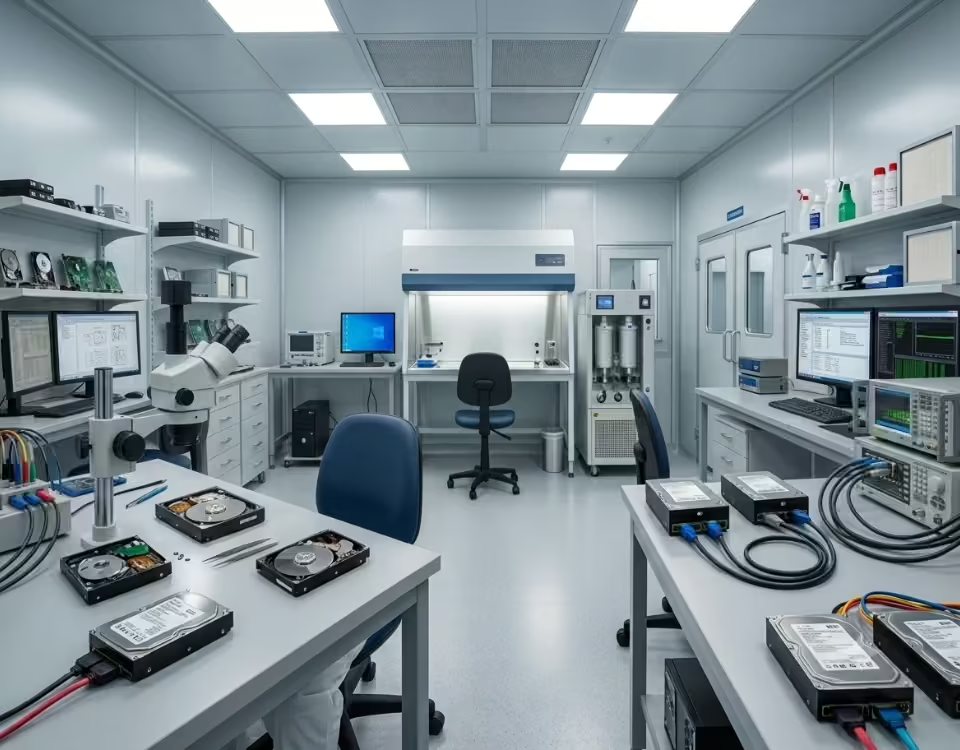

Our engineers performed a detailed SSD diagnostic using specialized recovery equipment. The issue was identified as a firmware-related controller failure, preventing normal access to the NAND memory. Using professional SSD recovery techniques, we accessed the raw memory data and reconstructed the file system structure. The recovered data included project source codes, databases, and important documents.
All recovered files were verified for integrity and securely transferred to a new storage device. The client received complete access to their critical data and resumed operations without major delays.